Google Forms alternative

The Google Forms alternative for forms that convert

A form, quiz, and survey builder with AI built in. On-brand forms, conversational or with multiple questions per screen. Per-question logic, drop-off, and AI response analysis, plus native CRM integration. Everything Google Forms leaves out is covered out of the box.

This is how a form built with Yay! Forms looks like.

See an example
  • Conversational or classic you pick the format
  • Per-question logic with calculations
  • Drop-off + partials on every plan
  • AI on responses sentiment and analysis
  • HubSpot + Pipedrive native, no Zapier
  • Upload, no Google login no conversion drop
Coming from Google Forms

We rebuild your forms for you

The AI builds the structure from a prompt in seconds. If you prefer, the Yay! team rebuilds everything at no cost, and you can bring your existing responses with you.

  • AI rebuilds it in seconds
  • Your responses come with you
  • No cost
Conversion

Built to convert your traffic

Google Forms collects data. Yay! turns it into conversion, with the design, logic, and measurement a public-facing form needs.

Conversational or multiple questions per screen

One question at a time or several on the same screen, always with your theme, fonts and colors. None of the utilitarian look of a Google Form.

Per-question logic and calculations

Branch by answer with multiple conditions and calculate values on the fly. Google Forms only jumps whole sections.

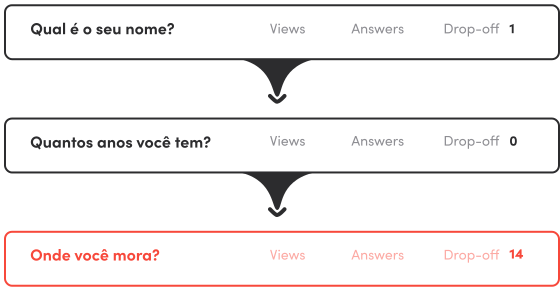
Drop-off and partial responses

See which question people abandon and keep what they already filled in. In Google Forms, that does not exist.

Upload with no login wall

Respondents attach files without a Google account. On a public form, that saves conversion.
The experience

Good-looking out of the box, easy to build

Describe the form and the AI builds the whole structure. You fine-tune the rest in the visual editor, no manual needed. The result is a form with your brand, in a conversational format or with multiple questions per screen, that runs smoothly on mobile and desktop. A long way from a standard Google Form.

DESIGN & BRANDING

Forms that look like your brand

Control every visual detail, from the theme to the domain the form runs on.

Themes and visual identity

Ready-made or custom colors, fonts and styles. Every form on brand.
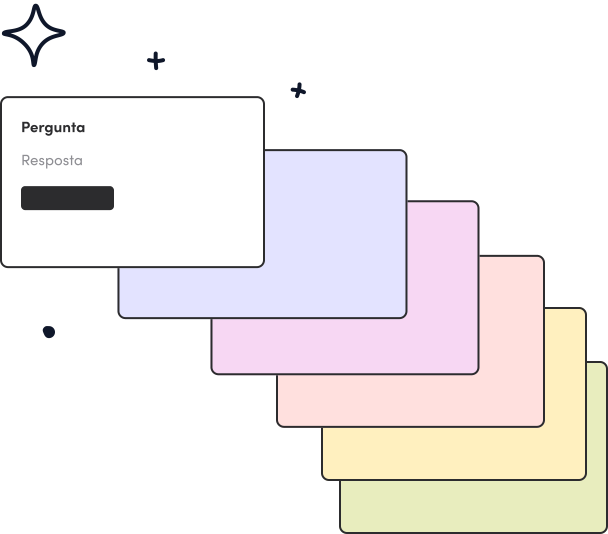
Video and image in questions

Attach a short video or image to any question to add context without killing the pace.
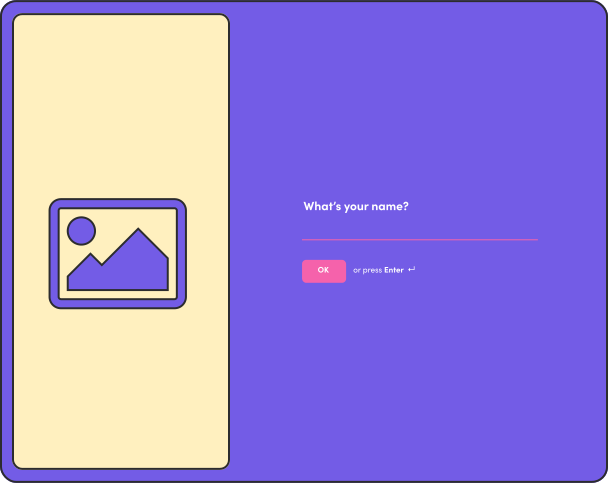
Per-device layout

Adjust the arrangement and focal point of images for mobile, tablet and desktop separately.
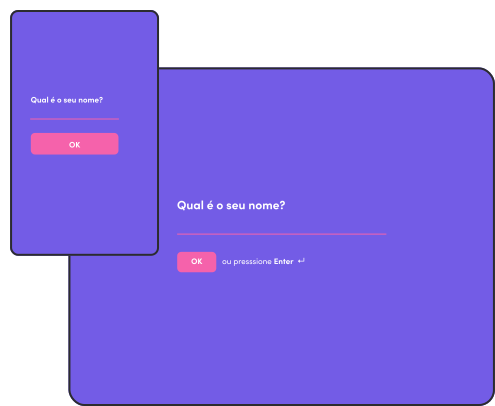
Subdomain and custom domain

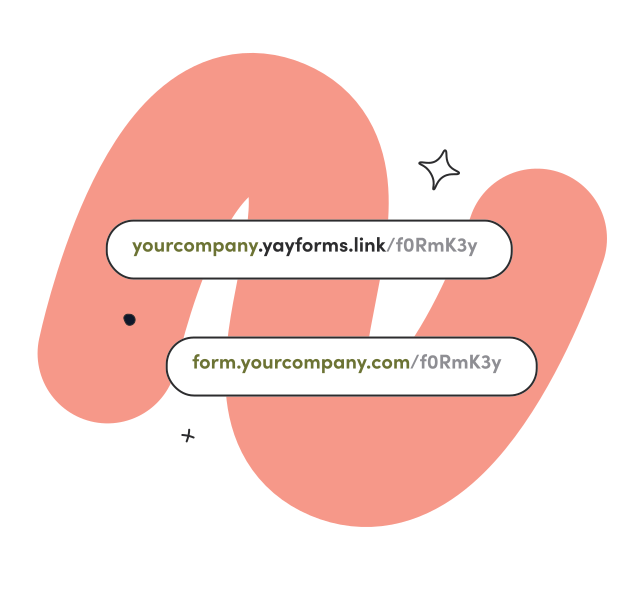
Publish on yourcompany.yayforms.link on Plus, or on a custom domain (add-on on Professional). No Google branding in the way.
AI from form to email

The AI layer Google Forms doesn't have

Edit the form by prompt, personalize what each respondent sees, analyze responses in plain language, and reply by email.

INTEGRATIONS

Easily integrate with tools you already use

Send your form responses to a spreadsheet, email, or any other tool you already use through integrations that come in the box, or also via Webhook, Zapier, and Make.

Those are some of the main integrations we offer.

Yay! Forms vs. Google Forms

Point by point, from AI to lead management and marketing integrations.

Recurso Yay! Forms Google Forms
AI
Conversational AI on your responses

On Plus

Insight is a spreadsheet with charts

AI sentiment, emotion and keywords
AI classifies open answers into categories

On Plus

AI writes a feedback email to the respondent

On Plus

AI generates dynamic content per respondent

The ending screen is static, the same for everyone

AI creates and edits the form by prompt
Limited

Gemini drafts one in Workspace, but does not edit field by field on command

Design & conversion
Conversational (one at a time) or multiple questions per screen
Only multiple per screen

No conversational mode

Your brand theme, colors and fonts
Limited customization
Ready NPS field and input masking (e.g. ID formats)
Partial

Has grid and scale, but no ready NPS field or input masking

Remove branding + custom domain

Subdomain on Plus; domain on Professional (add-on)

No custom domain; the Google footer stays

Logic & personalization
Per-question logic + calculations
Only jumps whole sections
Personalizes with earlier answers, hidden fields and UTMs
Multiple endings and redirect on submit

Only a confirmation message

Blocks duplicate entries by email or phone, no login

Only limits by requiring a Google account

Analytics & lead management
Drop-off per question
Partial responses (who abandoned midway)
NPS calculated automatically
Kanban to manage leads (response pipeline)
Map of respondent locations
Integrations & marketing
Native CRMs (HubSpot, Pipedrive, RD Station, Kommo)

Everything via Sheets, then Zapier

Native Meta Pixel + GA4 + GTM

On Plus

No native pixel

Native Webhook, Zapier and Make

Only via Apps Script or Sheets, then Zapier

Slack, WhatsApp and email notifications

On Plus

Email only

Email to the form owner

Flexible embed (popup, slider, side tab) and WordPress plugin
Only iframe
File upload without a Google account

Respondents must sign in to Google

Human support included
Help center
Where Google Forms wins
Price
From $9/mo
Free, unlimited responses
Universal respondent trust
Native Sheets, Drive and Gmail + real-time co-editing
Auto-graded quizzes
Workspace admin, retention and compliance (ISO, SOC, HIPAA with BAA)
Conversational AI on your responses
Yay! Forms

On Plus

Google Forms

Insight is a spreadsheet with charts

AI sentiment, emotion and keywords
Yay! Forms
Google Forms
AI classifies open answers into categories
Yay! Forms

On Plus

Google Forms
AI writes a feedback email to the respondent
Yay! Forms

On Plus

Google Forms
AI generates dynamic content per respondent
Yay! Forms
Google Forms

The ending screen is static, the same for everyone

AI creates and edits the form by prompt
Yay! Forms
Google Forms
Limited

Gemini drafts one in Workspace, but does not edit field by field on command

Conversational (one at a time) or multiple questions per screen
Yay! Forms
Google Forms
Only multiple per screen

No conversational mode

Your brand theme, colors and fonts
Yay! Forms
Google Forms
Limited customization
Ready NPS field and input masking (e.g. ID formats)
Yay! Forms
Google Forms
Partial

Has grid and scale, but no ready NPS field or input masking

Remove branding + custom domain
Yay! Forms

Subdomain on Plus; domain on Professional (add-on)

Google Forms

No custom domain; the Google footer stays

Per-question logic + calculations
Yay! Forms
Google Forms
Only jumps whole sections
Personalizes with earlier answers, hidden fields and UTMs
Yay! Forms
Google Forms
Multiple endings and redirect on submit
Yay! Forms
Google Forms

Only a confirmation message

Blocks duplicate entries by email or phone, no login
Yay! Forms
Google Forms

Only limits by requiring a Google account

Drop-off per question
Yay! Forms
Google Forms
Partial responses (who abandoned midway)
Yay! Forms
Google Forms
NPS calculated automatically
Yay! Forms
Google Forms
Kanban to manage leads (response pipeline)
Yay! Forms
Google Forms
Map of respondent locations
Yay! Forms
Google Forms
Native CRMs (HubSpot, Pipedrive, RD Station, Kommo)
Yay! Forms
Google Forms

Everything via Sheets, then Zapier

Native Meta Pixel + GA4 + GTM
Yay! Forms

On Plus

Google Forms

No native pixel

Native Webhook, Zapier and Make
Yay! Forms
Google Forms

Only via Apps Script or Sheets, then Zapier

Slack, WhatsApp and email notifications
Yay! Forms

On Plus

Google Forms
Email only

Email to the form owner

Flexible embed (popup, slider, side tab) and WordPress plugin
Yay! Forms
Google Forms
Only iframe
File upload without a Google account
Yay! Forms
Google Forms

Respondents must sign in to Google

Human support included
Yay! Forms
Google Forms
Help center
Price
Yay! Forms
From $9/mo
Google Forms
Free, unlimited responses
Universal respondent trust
Yay! Forms
Google Forms
Native Sheets, Drive and Gmail + real-time co-editing
Yay! Forms
Google Forms
Auto-graded quizzes
Yay! Forms
Google Forms
Workspace admin, retention and compliance (ISO, SOC, HIPAA with BAA)
Yay! Forms
Google Forms

Capability comparison as of June 2026, based on public information about Google Forms. Trademarks and brand names referenced are the property of their respective owners.

“Wish I’d switched sooner” “More people finish the form now” “Looks like part of our site” “Saved us hours every week” “Setup took five minutes” “Our leads love it” “Defaults are spot on” “No surprise charges” “Crazy good support” “Replaced three other tools” “No designer needed” “My funnel actually converts” “Slick from start to finish” “A delight to use” “Feels premium from day one” “Just works, every time” “Doubled our response rate” “Smarter than I expected” “Looked great straight away” “Already told three friends” “Wish I’d switched sooner” “More people finish the form now” “Looks like part of our site” “Saved us hours every week” “Setup took five minutes” “Our leads love it” “Defaults are spot on” “No surprise charges” “Crazy good support” “Replaced three other tools” “No designer needed” “My funnel actually converts” “Slick from start to finish” “A delight to use” “Feels premium from day one” “Just works, every time” “Doubled our response rate” “Smarter than I expected” “Looked great straight away” “Already told three friends”

Plans & Pricing

Start free for 7 days. No card, cancel anytime.

$
19
per month billed yearly
per month

Starter

Start free trial
  • 200 form submissions/month
  • Unlimited forms
  • Unlimited questions
  • Unlimited users
  • Unlimited workspaces
  • AI-powered insights
  • Automatic keyword extraction
  • Sentiment detection
  • Emotion detection
  • Customer support
  • Drop-off rates
Add-ons
  • $9.50/month per 100 additional form submissions (optional)
$
39
per month billed yearly
per month

Plus

Start free trial
  • 2k form submissions/month
  • Unlimited forms
  • Unlimited questions
  • Unlimited users
  • Unlimited workspaces
  • AI-powered insights
  • Automatic keyword extraction
  • Sentiment detection
  • Emotion detection
  • Customer support
  • Drop-off rates
  • Remove Yay! Forms branding
  • Custom subdomain (yourcompany.yayforms.link)
  • Google Analytics integration
  • Google Tag Manager integration
  • Facebook Pixel integration
  • Email feedback to respondents with text generated by AI
  • Email notification
  • WhatsApp notification
  • Slack notification
Add-ons
  • $19.50/month per 1k additional form submissions (optional)
$
79
per month billed yearly
per month

Professional

Start free trial
  • 20k form submissions/month
  • Unlimited forms
  • Unlimited questions
  • Unlimited users
  • Unlimited workspaces
  • AI-powered insights
  • Automatic keyword extraction
  • Sentiment detection
  • Emotion detection
  • Customer support
  • Drop-off rates
  • Remove Yay! Forms branding
  • Custom subdomain (yourcompany.yayforms.link)
  • Google Analytics integration
  • Google Tag Manager integration
  • Facebook Pixel integration
  • Email feedback to respondents with text generated by AI
  • Email notification
  • WhatsApp notification
  • Slack notification
Add-ons
  • $39.50/month per 10k additional form submissions (optional)
  • Custom domain (yourcompany.com): $25/month (optional)
$
9
per month billed yearly
per month

Starter

Start free trial
INCLUDEs
  • 200 form submissions/month
  • Unlimited forms
  • Unlimited questions
  • Unlimited users
  • Unlimited workspaces
  • AI-powered insights
  • Automatic keyword extraction
  • Sentiment detection
  • Emotion detection
  • Customer support
  • Drop-off rates
Add-ons
  • $9.50/month per 100 additional form submissions (optional)
$
29
per month billed yearly
per month

Plus

Start free trial
INCLUDEs
  • 2k form submissions/month
  • Unlimited forms
  • Unlimited questions
  • Unlimited users
  • Unlimited workspaces
  • AI-powered insights
  • Automatic keyword extraction
  • Sentiment detection
  • Emotion detection
  • Customer support
  • Drop-off rates
  • Remove Yay! Forms branding
  • Custom subdomain (yourcompany.yayforms.link)
  • Google Analytics integration
  • Google Tag Manager integration
  • Facebook Pixel integration
  • Email feedback to respondents with text generated by AI
  • Email notification
  • WhatsApp notification
  • Slack notification
Add-ons
  • $19.50/month per 1k additional form submissions (optional)
$
59
per month billed yearly
per month

Professional

Start free trial
INCLUDEs
  • 20k form submissions/month
  • Unlimited forms
  • Unlimited questions
  • Unlimited users
  • Unlimited workspaces
  • AI-powered insights
  • Automatic keyword extraction
  • Sentiment detection
  • Emotion detection
  • Customer support
  • Drop-off rates
  • Remove Yay! Forms branding
  • Custom subdomain (yourcompany.yayforms.link)
  • Google Analytics integration
  • Google Tag Manager integration
  • Facebook Pixel integration
  • Email feedback to respondents with text generated by AI
  • Email notification
  • WhatsApp notification
  • Slack notification
Add-ons
  • $39.50/month per 10k additional form submissions (optional)
  • Custom domain (yourcompany.com): $25/month (optional)
FAQ

Switching from Google Forms to Yay! Forms

Yay! Forms starts at $9/mo, with a 7-day free trial and no card. You pay for the difference between a form that just stores responses and one that converts paid traffic, feeds your CRM and shows where each lead dropped. On a public-facing form, that usually pays for itself fast.
Yes, and it is quick. Because Google forms are usually simple, the AI rebuilds the whole structure from a prompt in seconds. If you prefer, the Yay! team rebuilds everything for you at no cost: just fill out this migration form. The responses you already have in your sheet can be imported via CSV.
No. In Yay! Forms, file upload (up to 10 MB) needs no login. In Google Forms, attaching a file forces the respondent to sign in with a Google account, which drops conversion on a public form.
Yes, native, with no Zapier in between. Google Forms has no native CRM: everything goes through Google Sheets and then an external automation.
Yes, native on the Plus plan. Start, completion and per-question drop-off events reach Meta and GA4 without you writing code. Google Forms has no pixel support without a workaround.
Yes. Themes, colors, fonts and logo are yours. On the Plus plan you remove the Yay! badge and use a subdomain (yourcompany.yayforms.link); on Professional, a custom domain (forms.yourcompany.com) as a $25/mo add-on. Google Forms lets you neither remove Google branding nor use a custom domain.
Yes. Logic is per question, with multiple conditions, and there is a calculation field. Google Forms only routes to another whole section and does not calculate values.
Yes, and we are open about it: it is free with unlimited responses, everyone recognizes a Google Form, and it inherits Google Workspace compliance (ISO, SOC, HIPAA with BAA). For low-stakes internal collection, it does the job. The equation flips when the form needs to convert.
Yes, on every plan. You talk to a real person, not an automated reply.

Start getting into your audience's mind.