Edit with AI
"Add a phone field with validation", "make question 3 required". AI edits the form from your request.

Tally is great for collecting responses. Yay! Forms helps you act on them: AI analysis, native CRM sync, Meta Pixel and GA4 ready to go, and support from real people.


This is how a form built with Yay! Forms looks like.

Send us the links to your Tally forms and the Yay! team recreates everything within 24 hours. Responses you have already collected can come across via export.
Tally's block editor is great for building fast. In Yay! Forms you describe the form in a prompt and AI builds the whole structure; you fine-tune the rest in the visual editor. The result is a conversational form, one question at a time, on your brand, running smoothly on mobile and desktop. Conditional logic, calculations and embed by URL, QR code or iframe are all included.
Edit the form by prompt, personalize what each respondent sees, analyze answers in plain language, and send feedback by email. Tally has no AI.
"Add a phone field with validation", "make question 3 required". AI edits the form from your request.
Each respondent sees content written on the spot, just for them, based on the answers they gave. Useful in quiz funnels and on ending screens.

AI writes a personalized email for each respondent based on a prompt you set, and they get it the moment they submit.

Ask in plain language: "what did respondents complain about most?". AI reads the full set of answers and gives you the answer. From Plus.

Each answer is classified by emotional tone, positive or negative. Handy for segmenting feedback or uncovering what drives your customers.

CRM and pixel connect directly. Tally's native list stops at Sheets, Notion, Airtable and the like, so CRM and pixel go through Zapier or its Pro plan.
HubSpot, Pipedrive, GoHighLevel, ActiveCampaign and Mailchimp connect directly, with native integrations.
Meta Pixel, GA4 and GTM come configured on Plus. Start, completion and drop-off events go straight to your ad account.
Each lead's source is carried through the server and isn't lost between form pages.
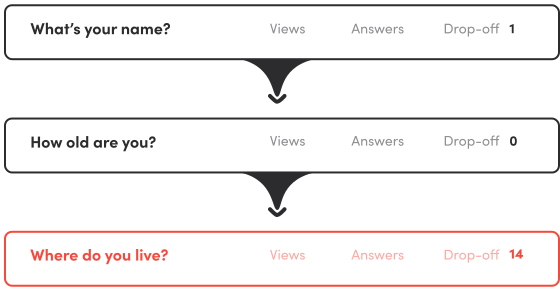
See which question people abandon and fix what actually moves conversion.
Fine visual control, from the theme to the domain your form runs on.
Ready-made or custom colors, fonts and styles. Every client with their own look.
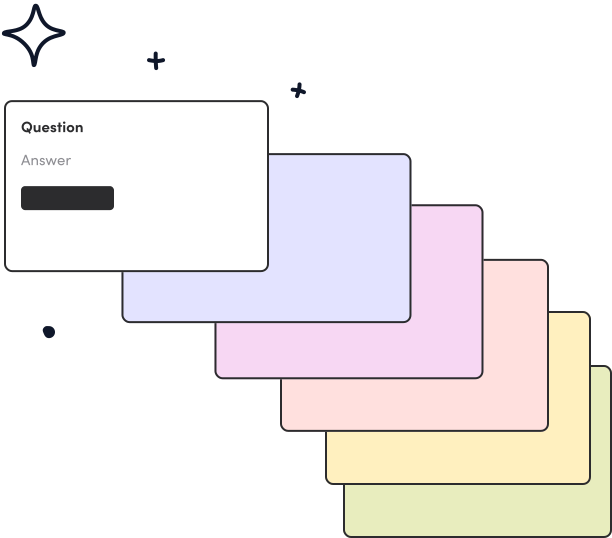
Attach a short video or image to any question to add context without killing the pace.
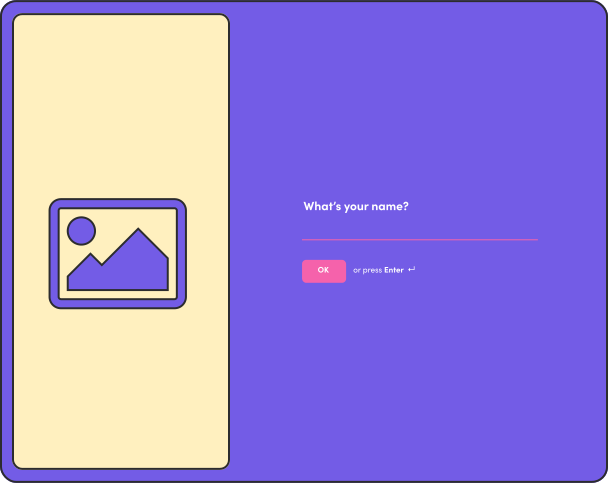
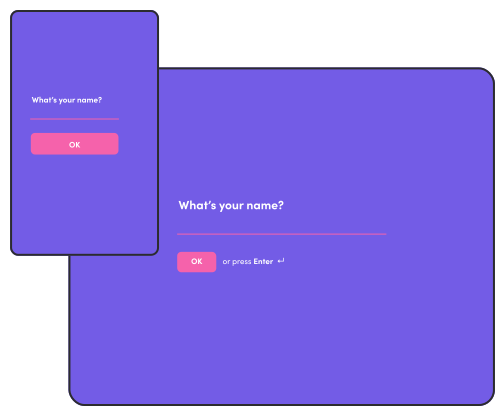
Adjust the layout and focal point of images for mobile, tablet and desktop separately.
Publish on yourbrand.yayforms.link or quiz.yourbrand.com.
Send your form responses to a spreadsheet, email, or any other tool you already use through integrations that come in the box, or also via Webhook, Zapier, and Make.
Those are some of the main integrations we offer.














Where each tool wins, with the honest losses at the end.
| Feature | Yay! Forms | Tally |
|---|---|---|
| Artificial intelligence | ||
| AI analysis on responses (sentiment, emotion, keywords) | On every plan, from Starter | |
| Conversational AI to query your data | From Plus | |
| AI form generation and editing by prompt | | Block editor, no AI generation |
| AI feedback email to the respondent | On Plus | |
| AI-generated content per respondent (title / ending screen) | From Starter (beta) | Only static answer piping |
| Marketing & integrations | ||
| Native CRM & email sync (HubSpot, Pipedrive, GoHighLevel, ActiveCampaign, Mailchimp) | | Zapier/Make only |
| Native Meta Pixel + GA4 + GTM | Standard on Plus | GA and Meta Pixel only on Pro |
| Per-question drop-off | On every plan | Partial responses on Pro, not drop-off |
| Native WhatsApp and Telegram notifications | WhatsApp on Plus | Email, Slack and Discord only; WhatsApp via Zapier/Make |
| Scheduling field (Calendly) and input masks | | No scheduling field or format validation |
| Analytics & reporting | ||
| Kanban board / mini-CRM to act on leads | On every plan | Responses as a submissions table only |
| Automatic NPS scoring | On every plan | |
| Map view of respondent locations | | |
| Experience & product | ||
| Conversational or classic format (your choice per form) | | Block editor, always several fields per screen |
| Multiple ending screens based on the answer | | One ending screen per form |
| Table stakes | ||
| Conditional logic and branching | On every plan | On the free plan |
| In-form calculations | | On the free plan |
| File upload | | On the free plan |
| Where Tally wins | ||
| Free plan with unlimited responses | 7-day trial, no permanent free plan | |
| Notion-style block editor | | |
| EU hosting + privacy-first (no tracking cookies) | Runs on standard cloud infrastructure | |
On every plan, from Starter
From Plus
Block editor, no AI generation
On Plus
From Starter (beta)
Only static answer piping
Zapier/Make only
Partial responses on Pro, not drop-off
Email, Slack and Discord only; WhatsApp via Zapier/Make
No scheduling field or format validation
On every plan
Responses as a submissions table only
On every plan
Block editor, always several fields per screen
One ending screen per form
On every plan
On the free plan
On the free plan
On the free plan
7-day trial, no permanent free plan
Runs on standard cloud infrastructure
Comparison valid as of July 2026, based on public information about Tally's plans (tally.so/pricing). Trademarks and names belong to their respective owners.
You test every feature of the Plus plan for 7 days without adding a card. If you change your mind, there is a money-back guarantee in the first 7 days. You decide after using it, not before.
Native pixels and CRM on Plus. 7 days free, no card, money-back guarantee.
Start getting into your audience's mind.