Your account email is where Yay! Forms sends notifications and password resets, and it’s the address you sign in with. This article shows how to change it. The change is protected by your current password, so an open session alone can’t move your account.
Open your profile
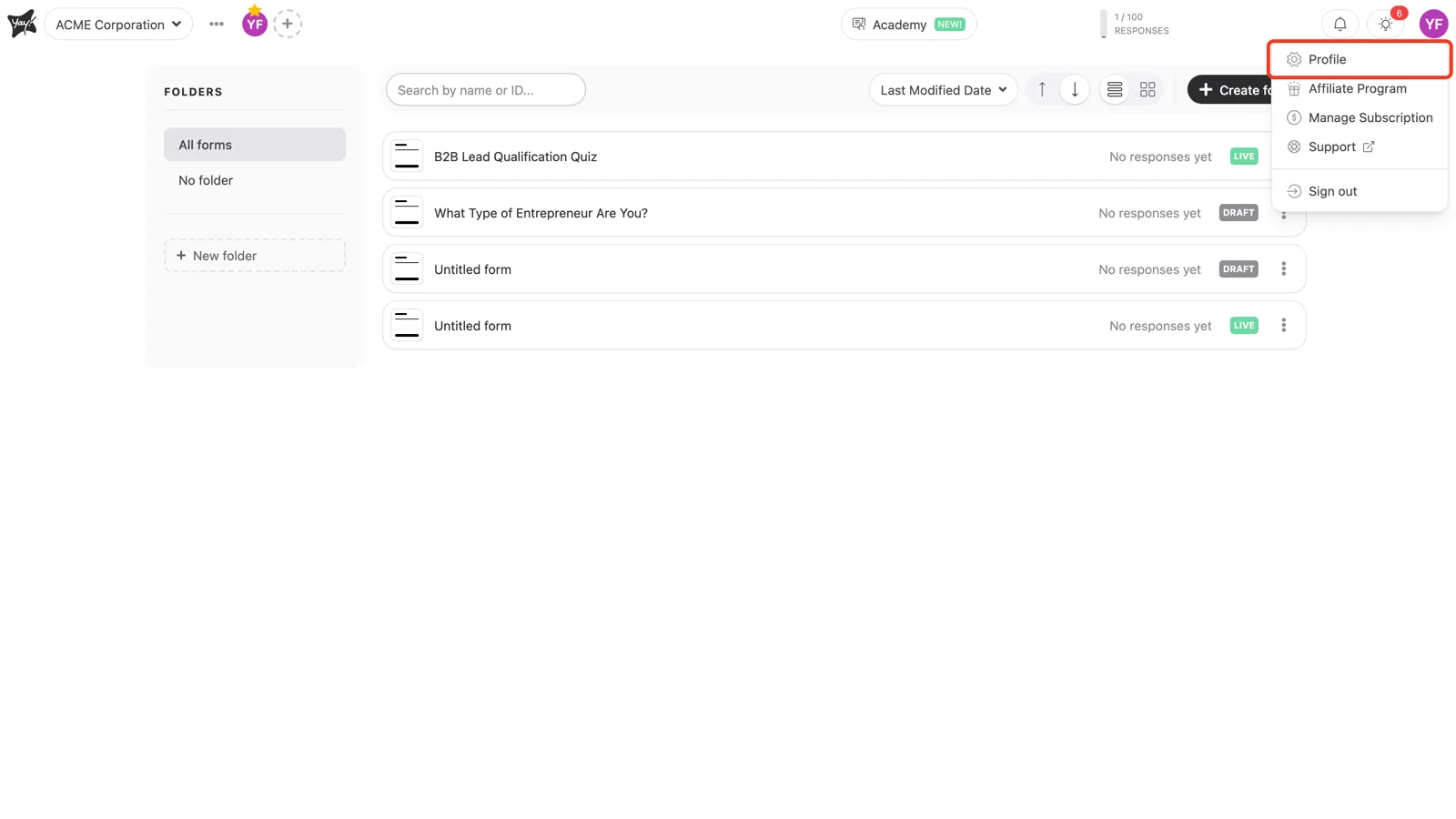
In the top-right corner, click your avatar and choose Profile.
Edit your email
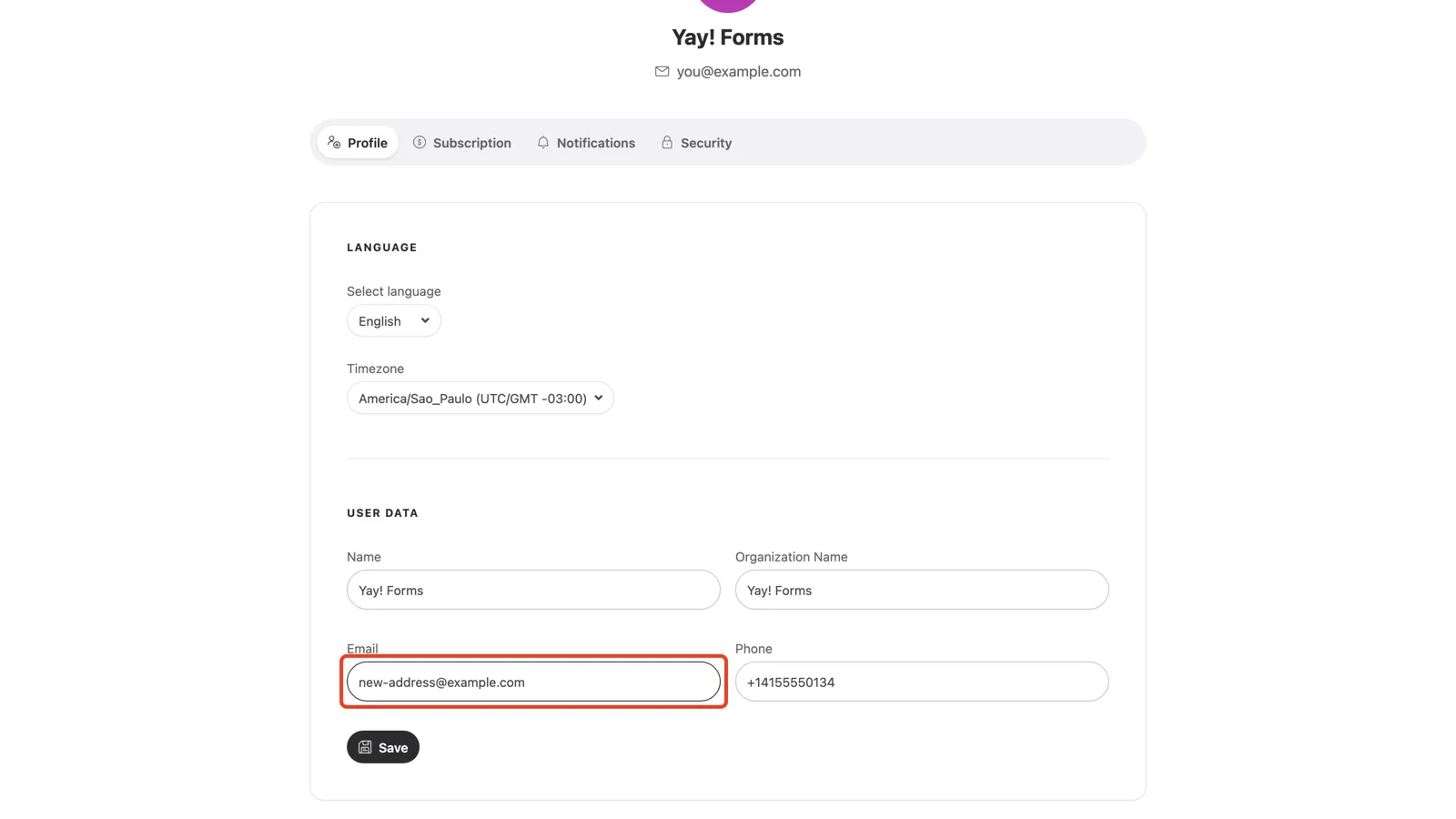
On the Profile tab, scroll to User Data. This section holds your name, organization name, email, and phone. Type the new address in the Email field and click Save.
Confirm with your password
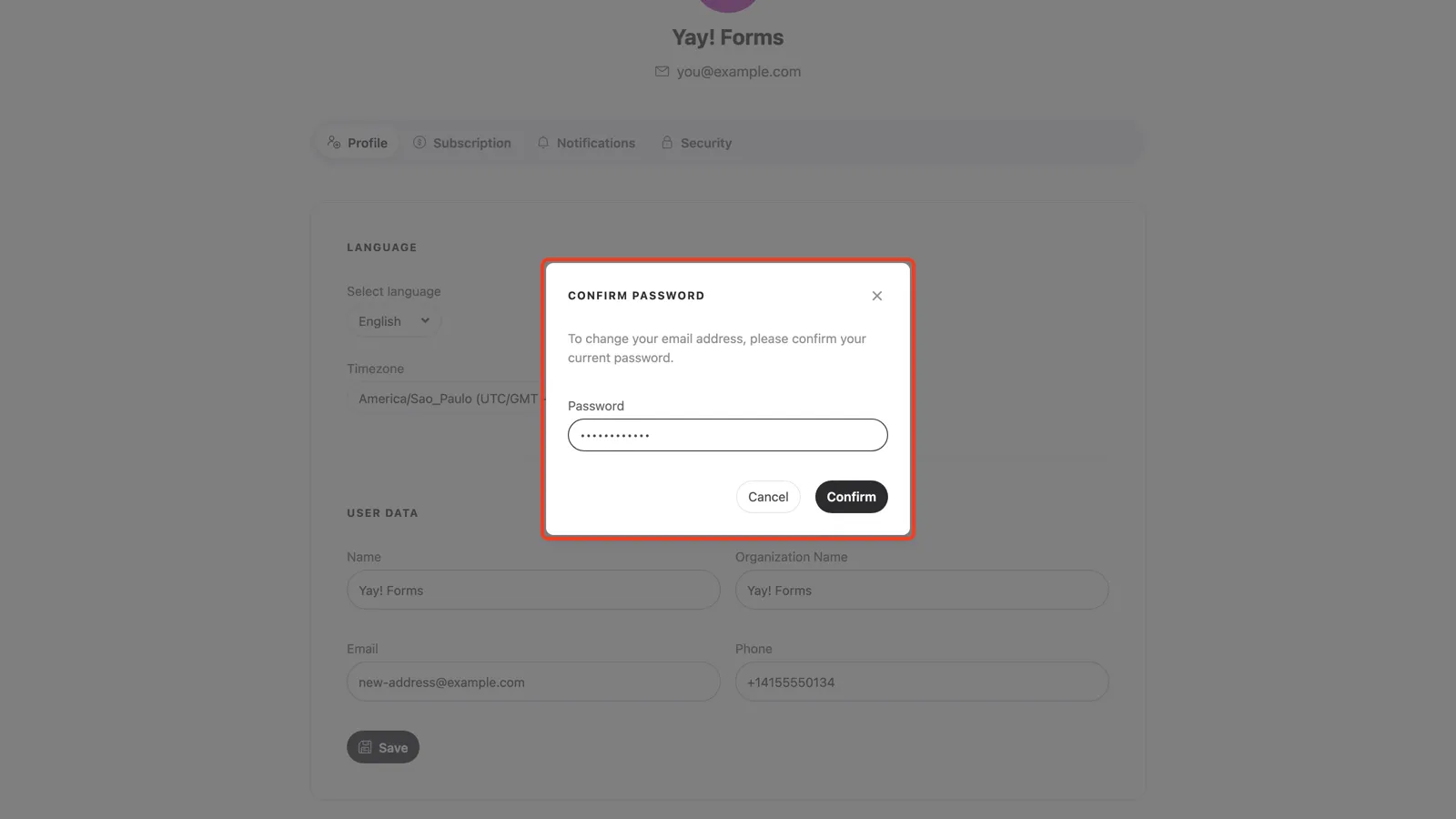
Changing the email opens a Confirm password dialog. Enter your current password and click Confirm. Your email updates right after.
Conclusion
You learned how to open your profile, change the address in the Email field, and confirm the change with your current password.
Related articles: