Published forms show a small “Powered by Yay! Forms” badge in the corner. On the Plus plan and above you can remove it, so the form is 100% your brand. See the details on the pricing page.
Open the form settings
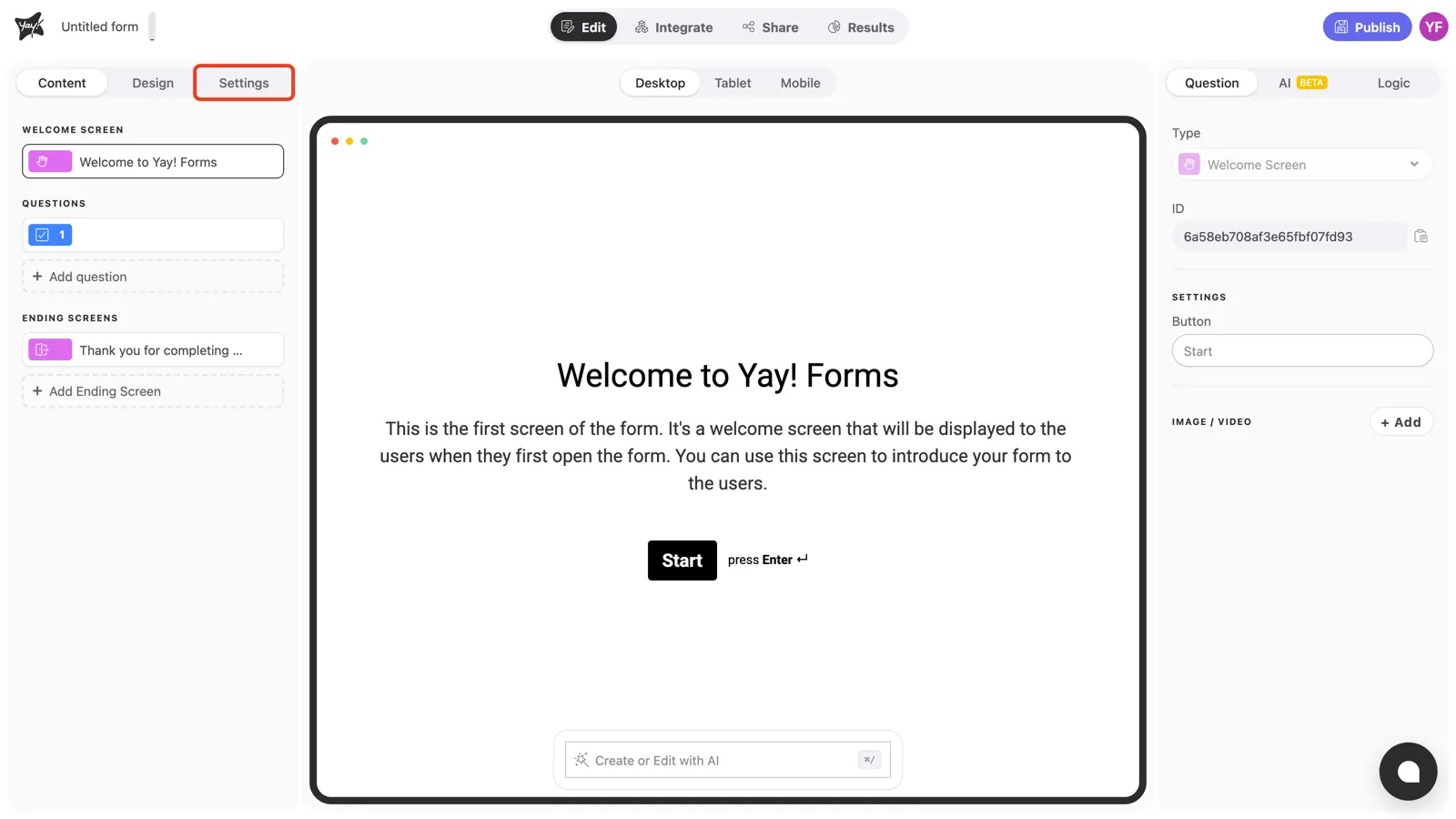
In the editor, open the Settings tab at the top of the left panel.
Turn on “Hide Powered by Yay! Forms”
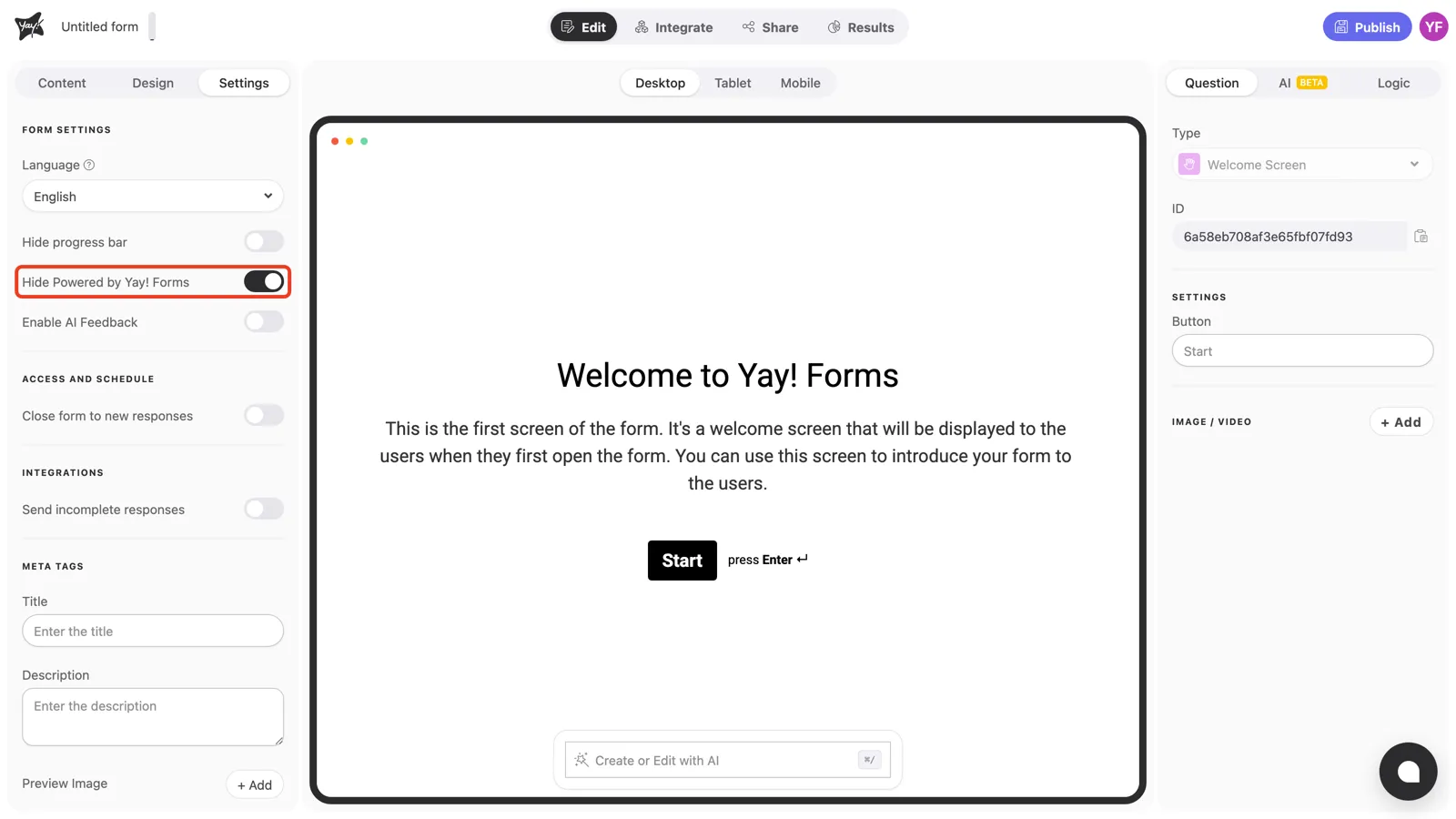
Under Form settings, turn on Hide Powered by Yay! Forms. Publish your changes and the badge is gone from the live form.
Conclusion
You’ve learned how to remove the Yay! Forms badge from your published form: one toggle in the form’s Settings tab, available on the Plus plan and above.
Related articles: