Every plan includes a monthly response allowance. With the additional-responses add-on, your forms keep collecting submissions past that limit instead of pausing, and the extra responses are billed automatically. This article shows where to enable it.
Open your subscription
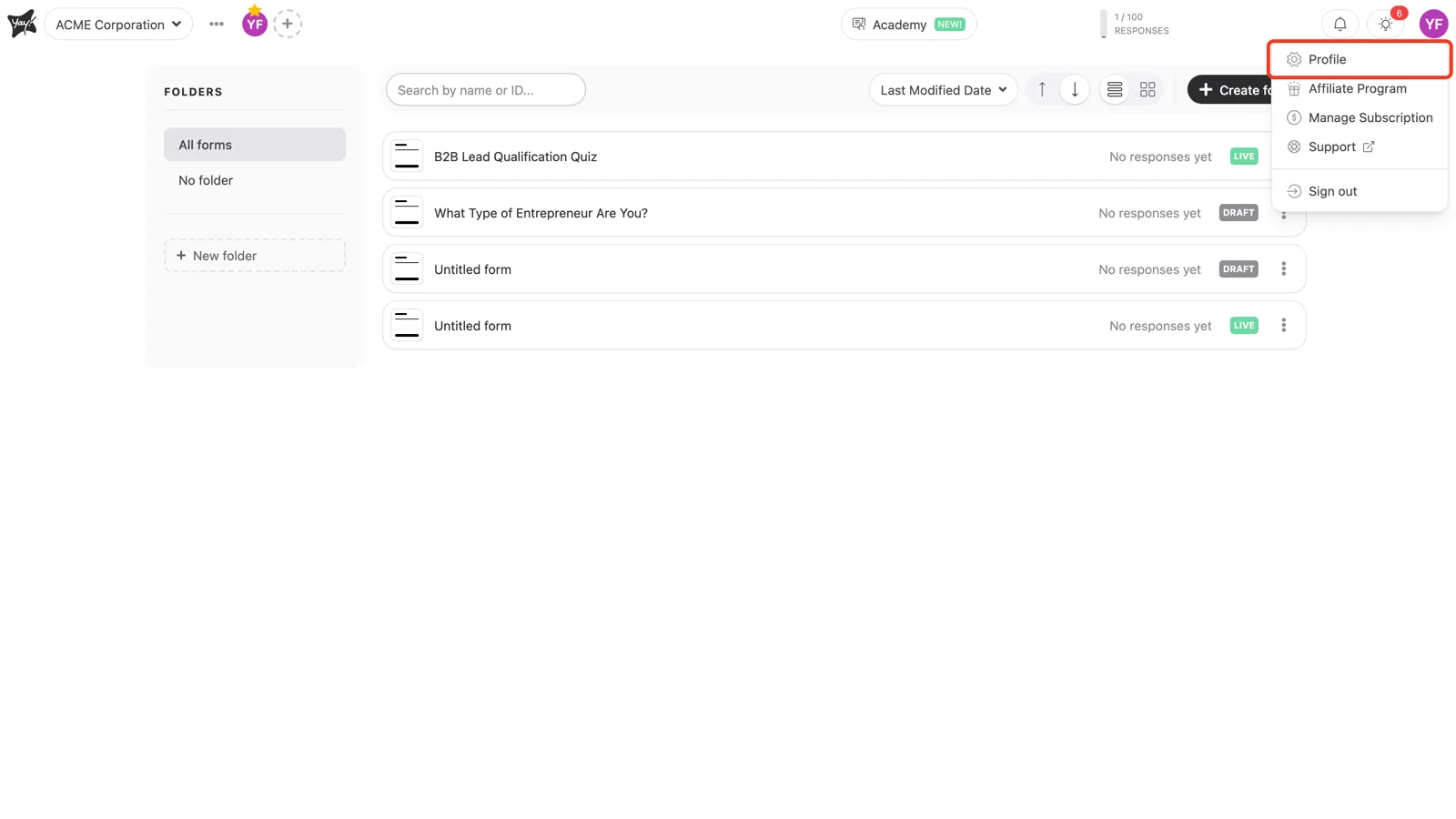
In the top-right corner, click your avatar and choose Profile, then open the Subscription tab.
Turn on additional responses
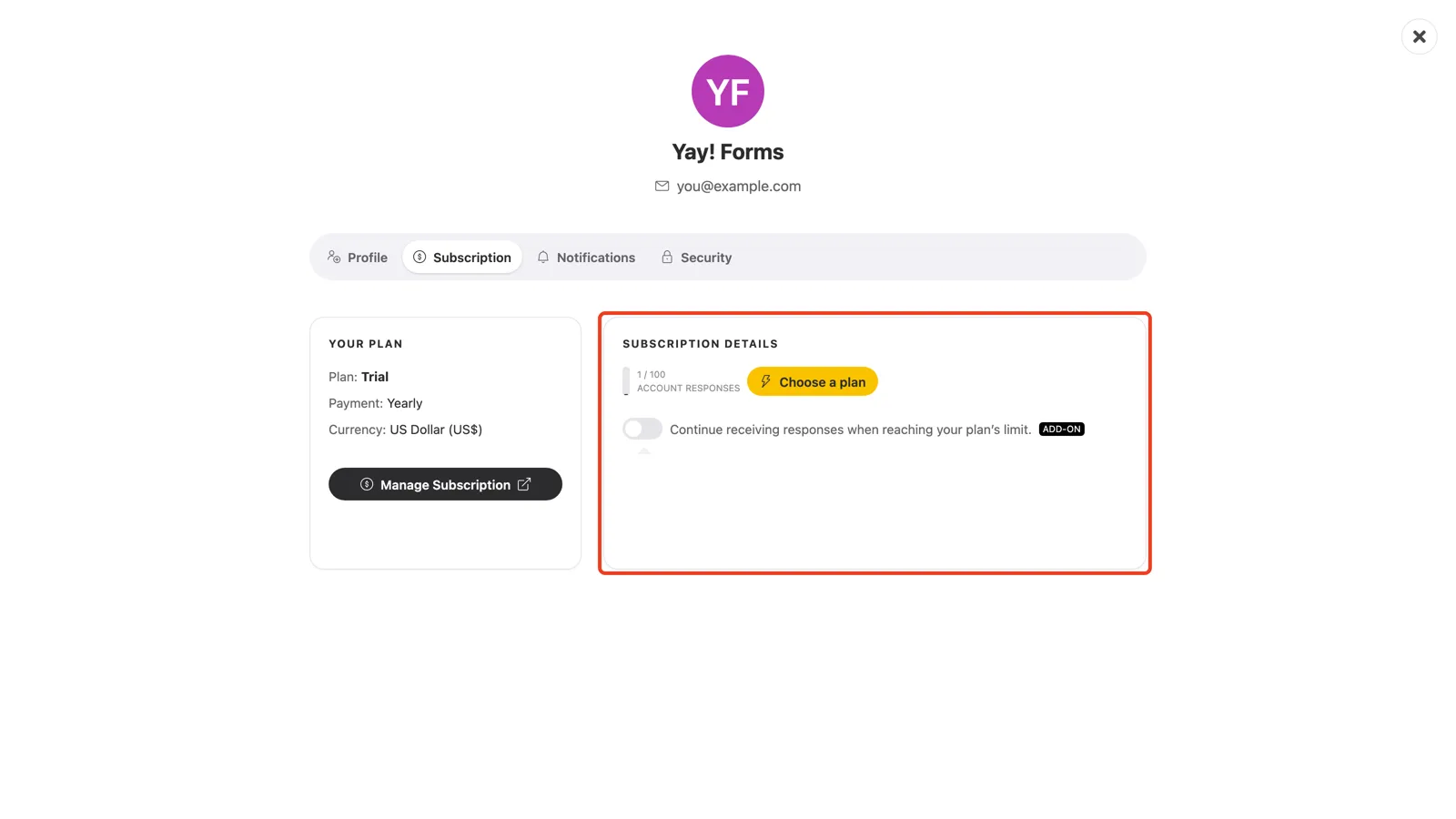
In the Subscription details card, find Continue receiving responses when reaching your plan’s limit and switch the Add-on on. From then on, responses above your plan’s limit are charged automatically according to your plan.
Conclusion
You learned where to find the additional-responses add-on in your subscription details and how enabling it keeps your forms collecting past the plan limit, with overage billed automatically.
Related articles: