The keyword extraction feature helps you analyze open-text responses in Yay! Forms by automatically identifying the most frequent terms and generating a visual, interactive word cloud. This makes it easier to quickly spot the most mentioned topics, uncover patterns, interests, and insights that could be missed in manual analysis.
Overview of keyword extraction
With the keyword extraction feature, Yay! Forms automatically analyzes responses from open-text fields and identifies the most frequent terms, generating a visual and interactive word cloud. This makes it possible to quickly identify the themes most mentioned by respondents, making it easier to uncover patterns, interests, and insights that could be missed in manual analyses.
Where you can enable it
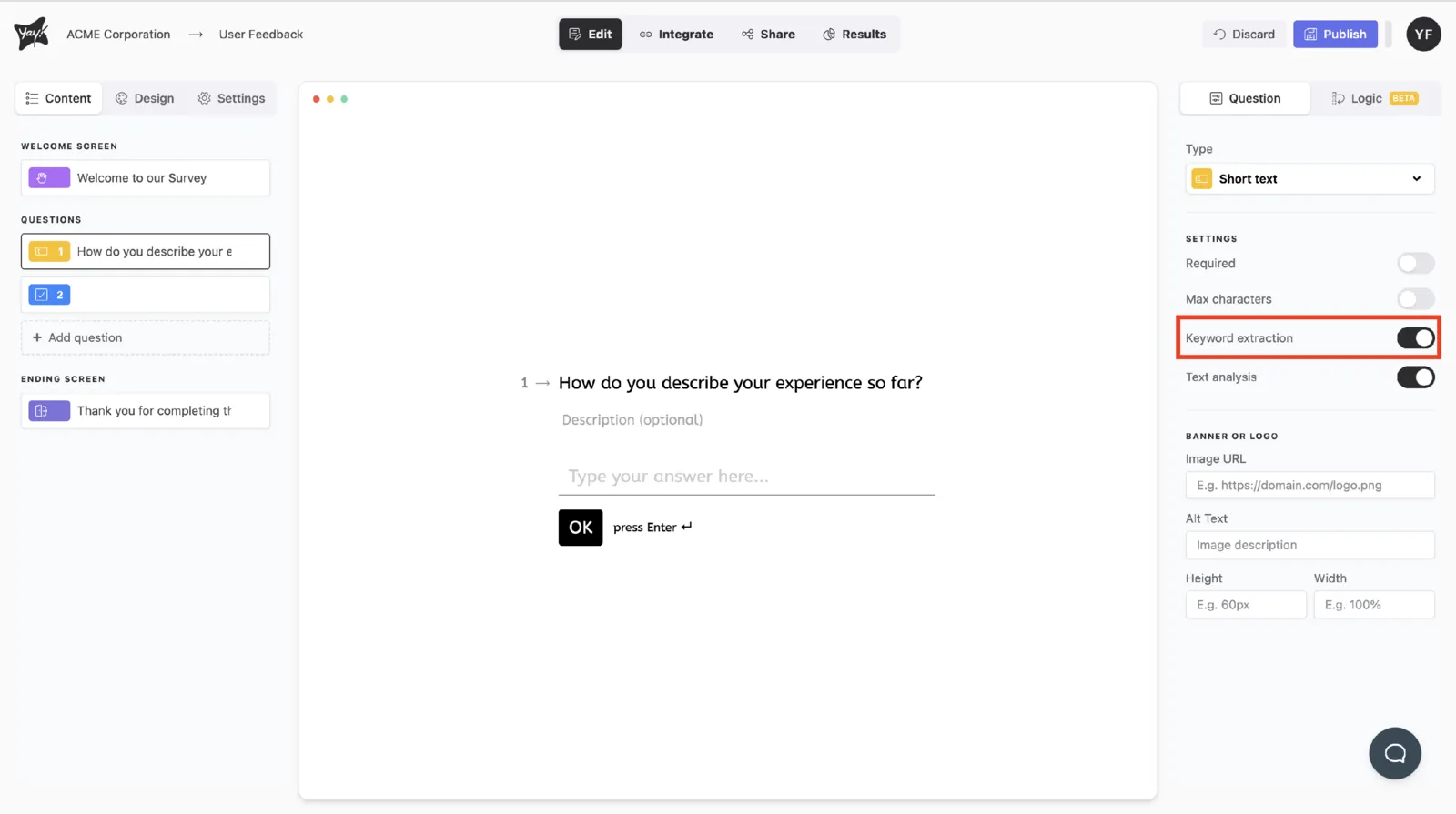
You can enable keyword extraction for short text or long text questions.
Viewing the most used words
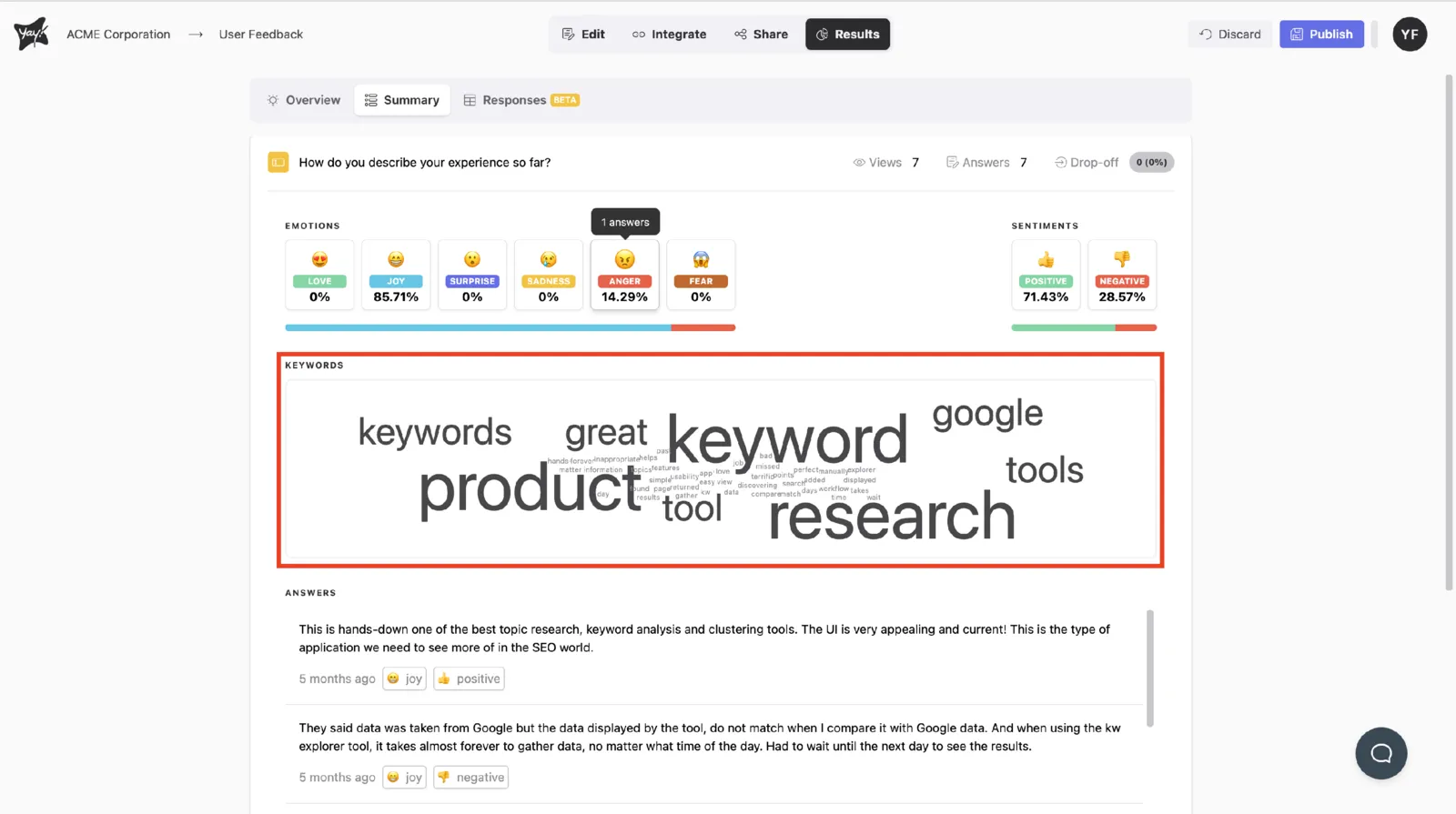
Keyword extraction lets you see which words are most frequently used in your form responses.
Filtering by specific keywords
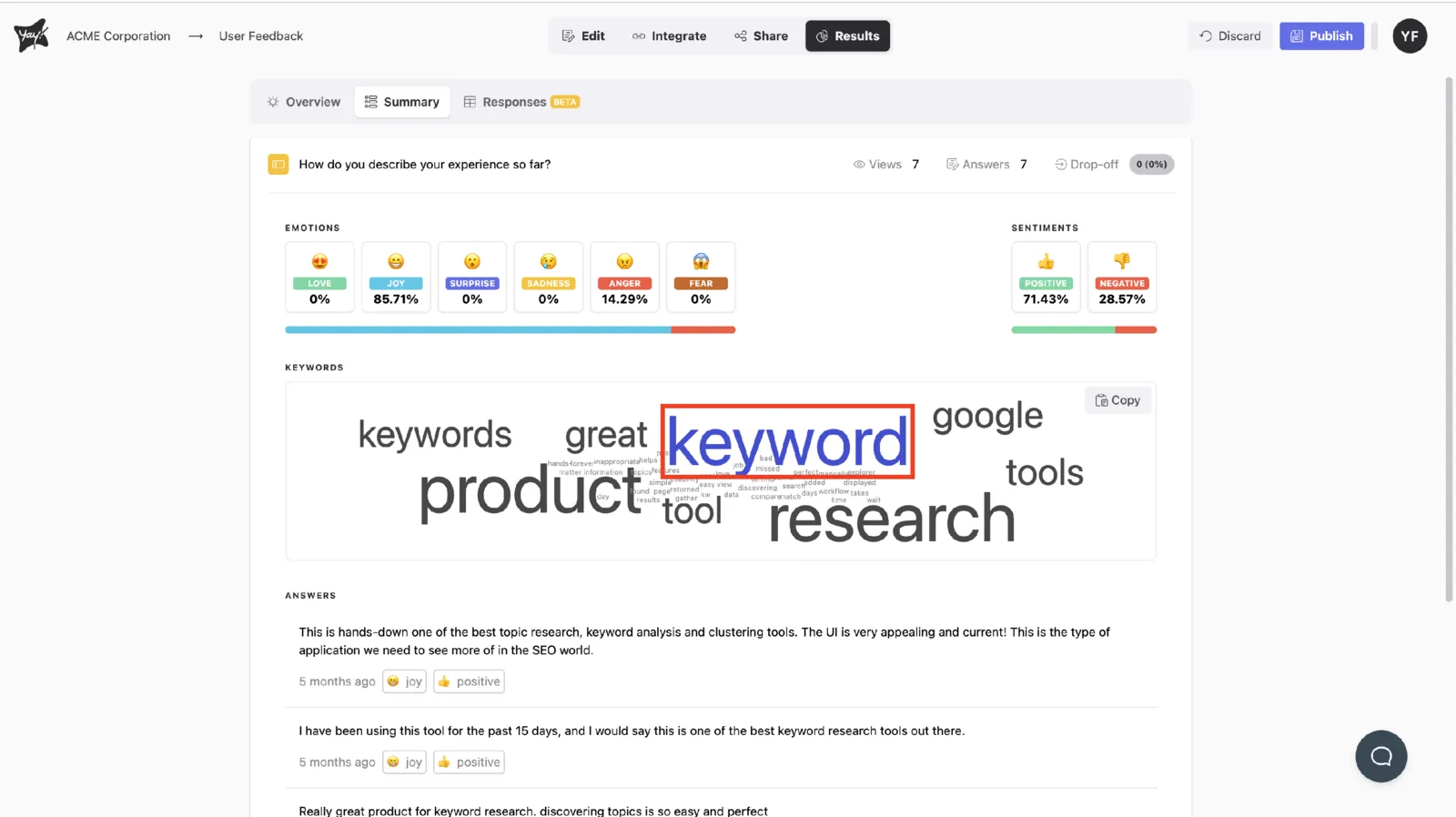
You can also filter for specific keywords to view the responses that use them.
Conclusion
Keyword extraction in Yay! Forms supports open-text analysis by surfacing the most frequent terms in an interactive word cloud and allowing you to focus on responses that include specific keywords, making it easier to identify commonly mentioned themes and insights.