A form that says “Nice to meet you, Ana!” feels like a conversation; one that says “Question 2 of 7” feels like paperwork. In Yay! Forms, any question title or description can include variables (the respondent’s previous answers, the quiz score, hidden fields), filled in live for each respondent.
Insert a variable with @
Click into any question title or description in the canvas and type @. A menu opens listing everything you can insert. Under Recall information from you’ll find the answers to previous questions, the Response ID, the quiz score, and the tracking parameters set up in the Share tab.
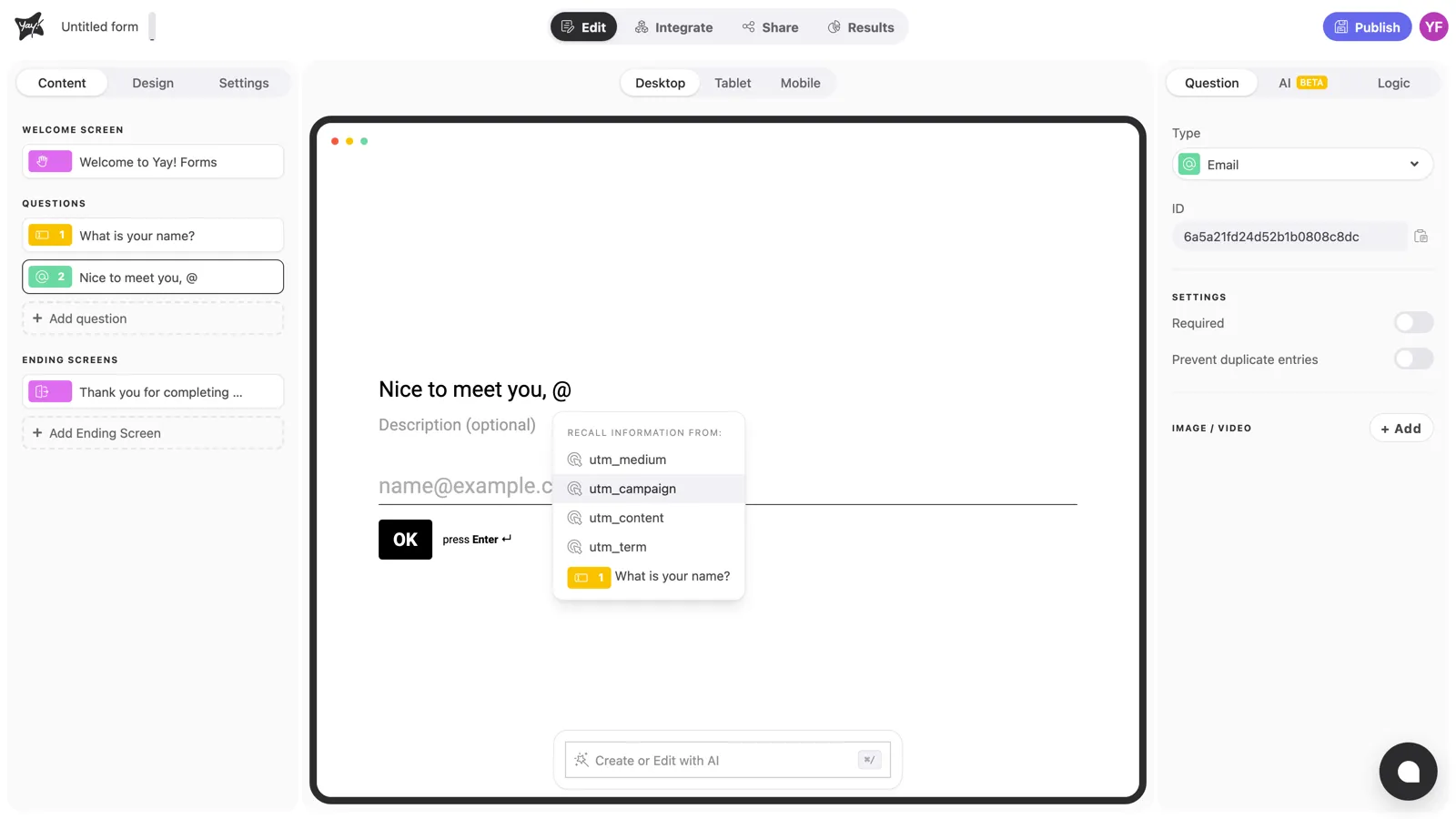
Pick an item and it lands in the text as a chip. When a respondent fills the form, the chip is replaced by their own value, so each person sees their own version of the question:
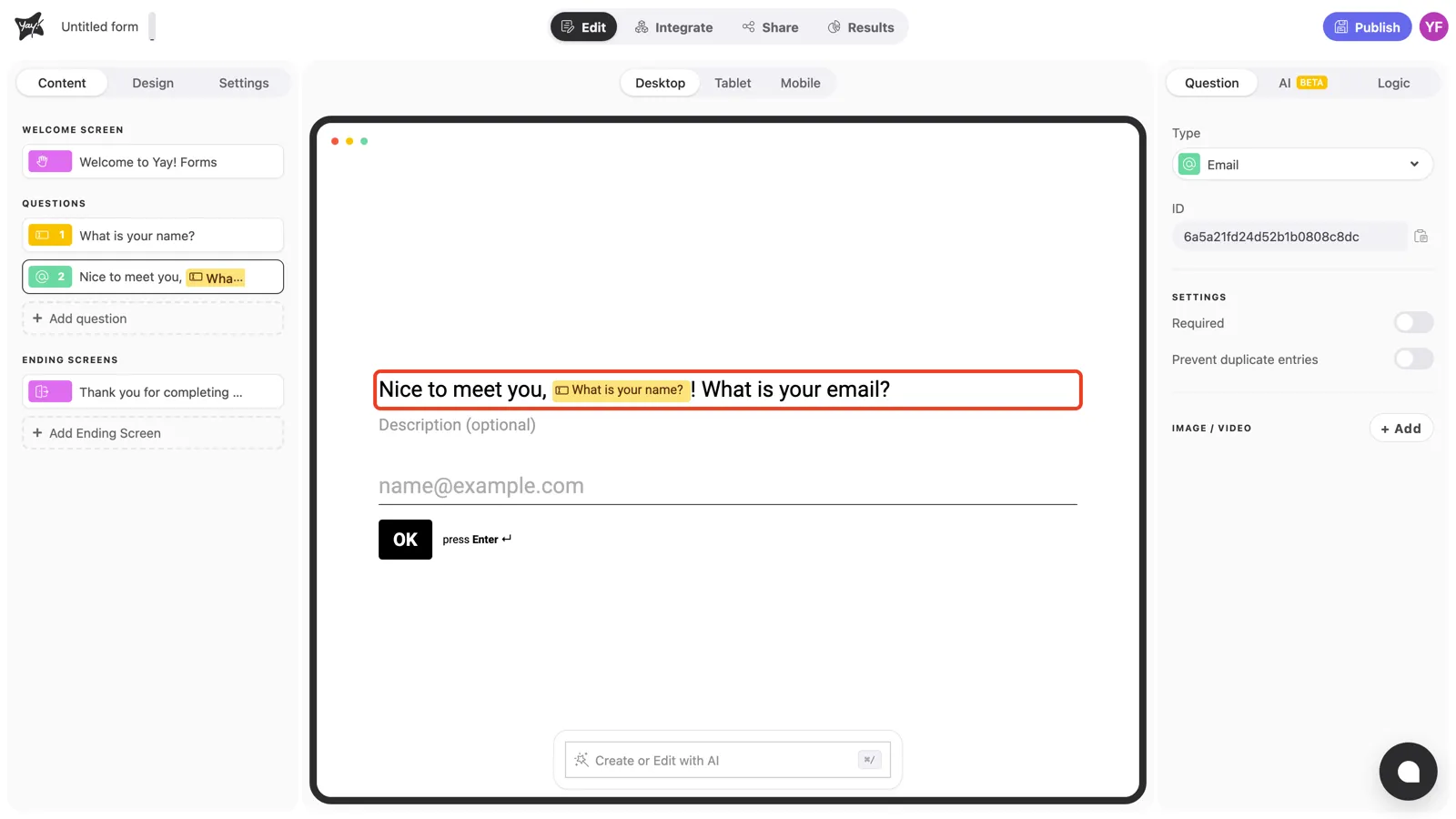
What you can insert
- Previous answers: “Thanks, @name! And what’s the best email to reach you?” (only questions before the current one appear in the menu).
- Score: in scored quizzes, show partial or final results: “You’ve got @score points so far”.
- Hidden fields and UTM parameters: everything you set up in the form’s Share tab becomes a variable too. Hidden fields are parameters passed in the form URL, like the respondent’s plan; turning on UTM parameters adds utm_source, utm_medium, utm_campaign, utm_term, and utm_content to the menu. See How to use the Mention feature for the full list.
Conclusion
You’ve learned how to personalize titles and descriptions by typing @ and inserting previous answers, scores, hidden fields, and UTM parameters.
Related articles: