This article shows how to review your subscription and change your plan in Yay! Forms. You can upgrade, downgrade, or switch billing cycle whenever you need to.
Open your subscription
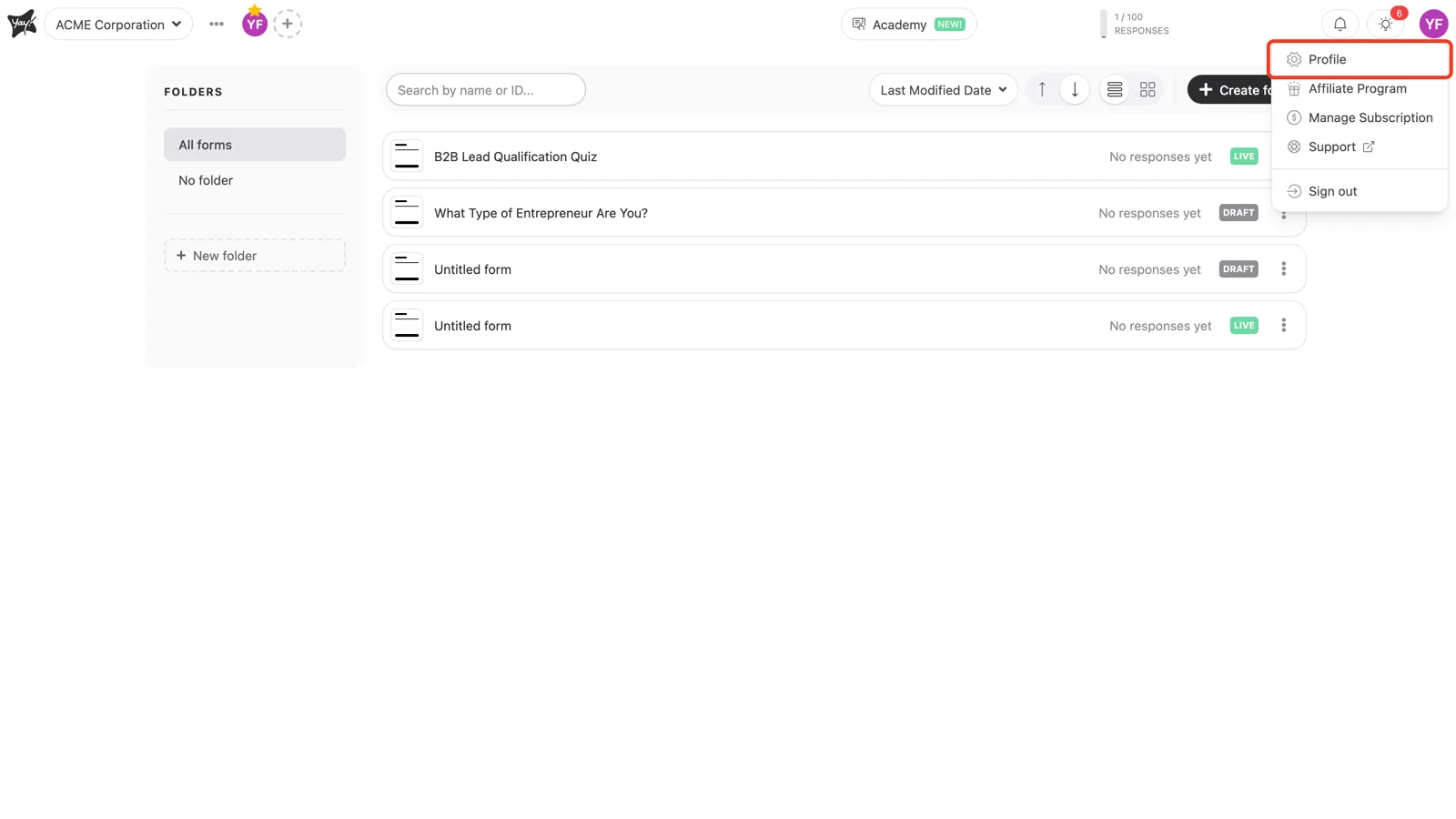
In the top-right corner, click your avatar and choose Profile, then open the Subscription tab. The same menu also has a Manage Subscription shortcut.
Review your current plan
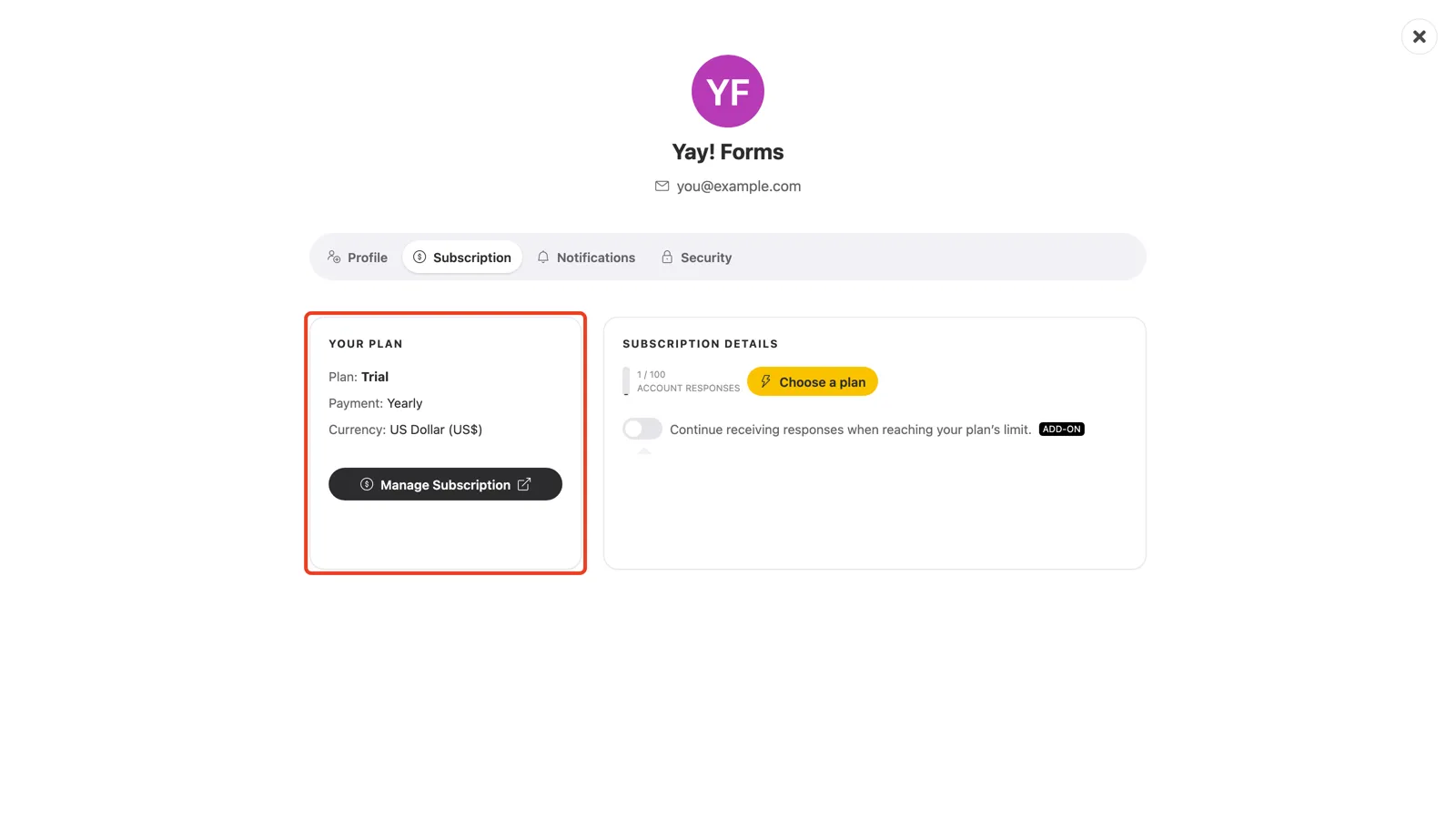
The Your Plan card shows your plan, billing cycle, and currency. To change or cancel an existing paid subscription, click Manage Subscription. This opens the secure billing portal, where you can switch plans, update your card, or cancel.
Choose a new plan
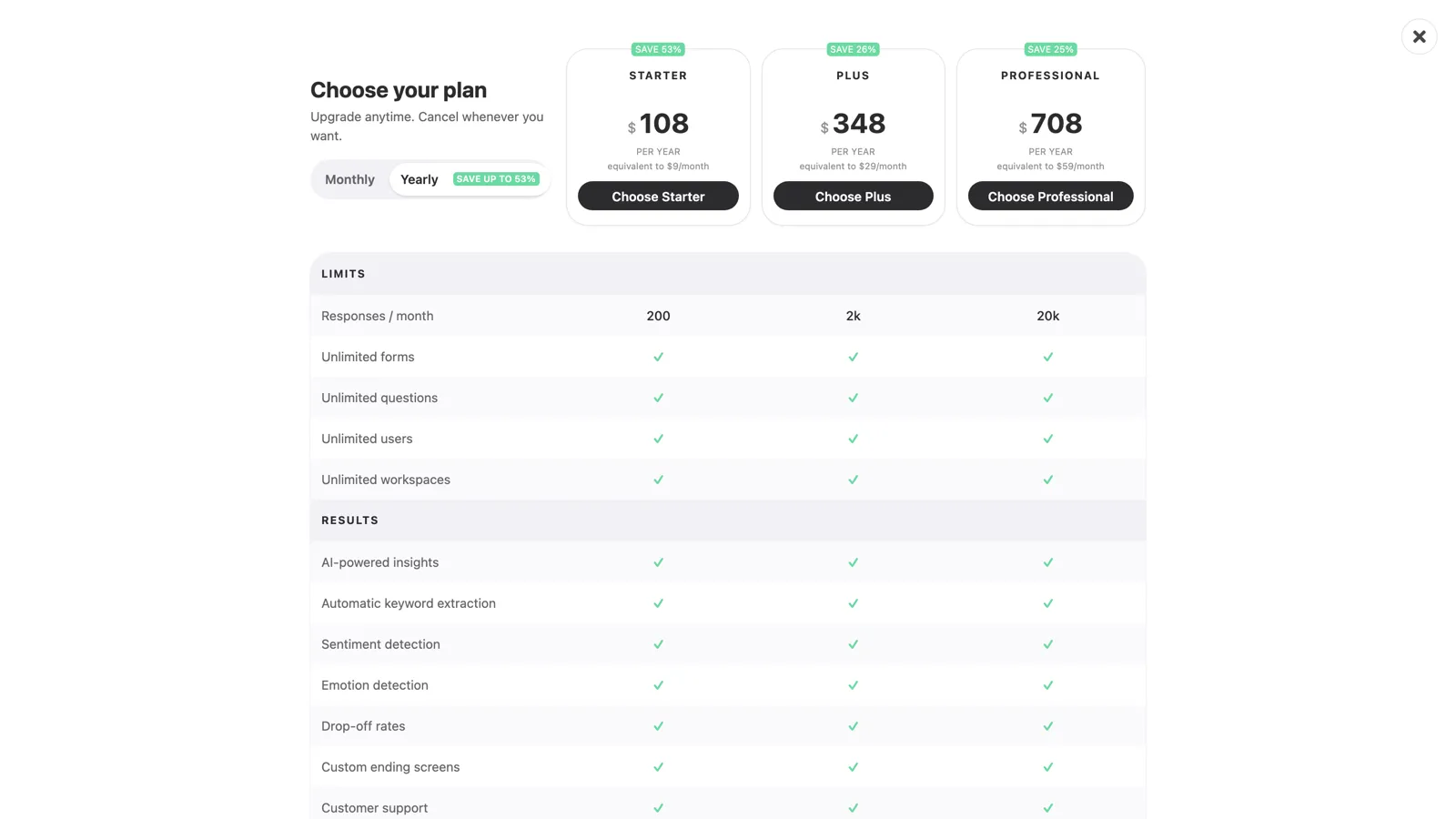
If you’re on a trial or the free plan, click Choose a plan to open the plan picker. Compare Starter, Plus, and Professional, switch between monthly and yearly billing, then pick the plan that fits and follow the checkout.
Conclusion
You learned where to find your subscription, how to open the billing portal to change or cancel a paid plan, and how to pick a new plan from the plan picker.
Related articles: