Yay! Forms is available in English, Portuguese, and Spanish. This article shows how to switch the language of your account. It changes every menu, button, and setting in the app for you, and it doesn’t change what respondents see in your forms.
Open your profile
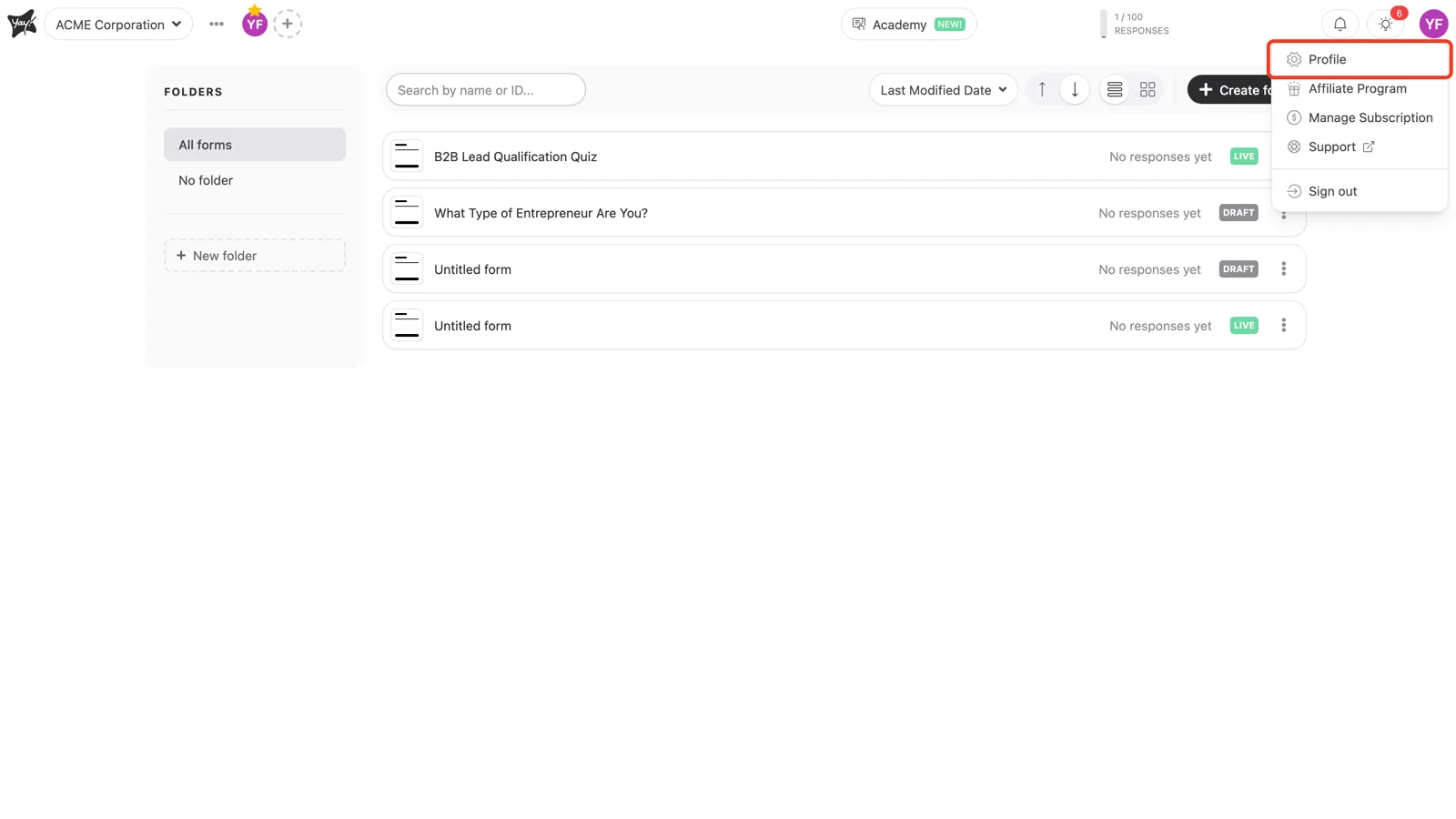
In the top-right corner, click your avatar and choose Profile.
Pick a language
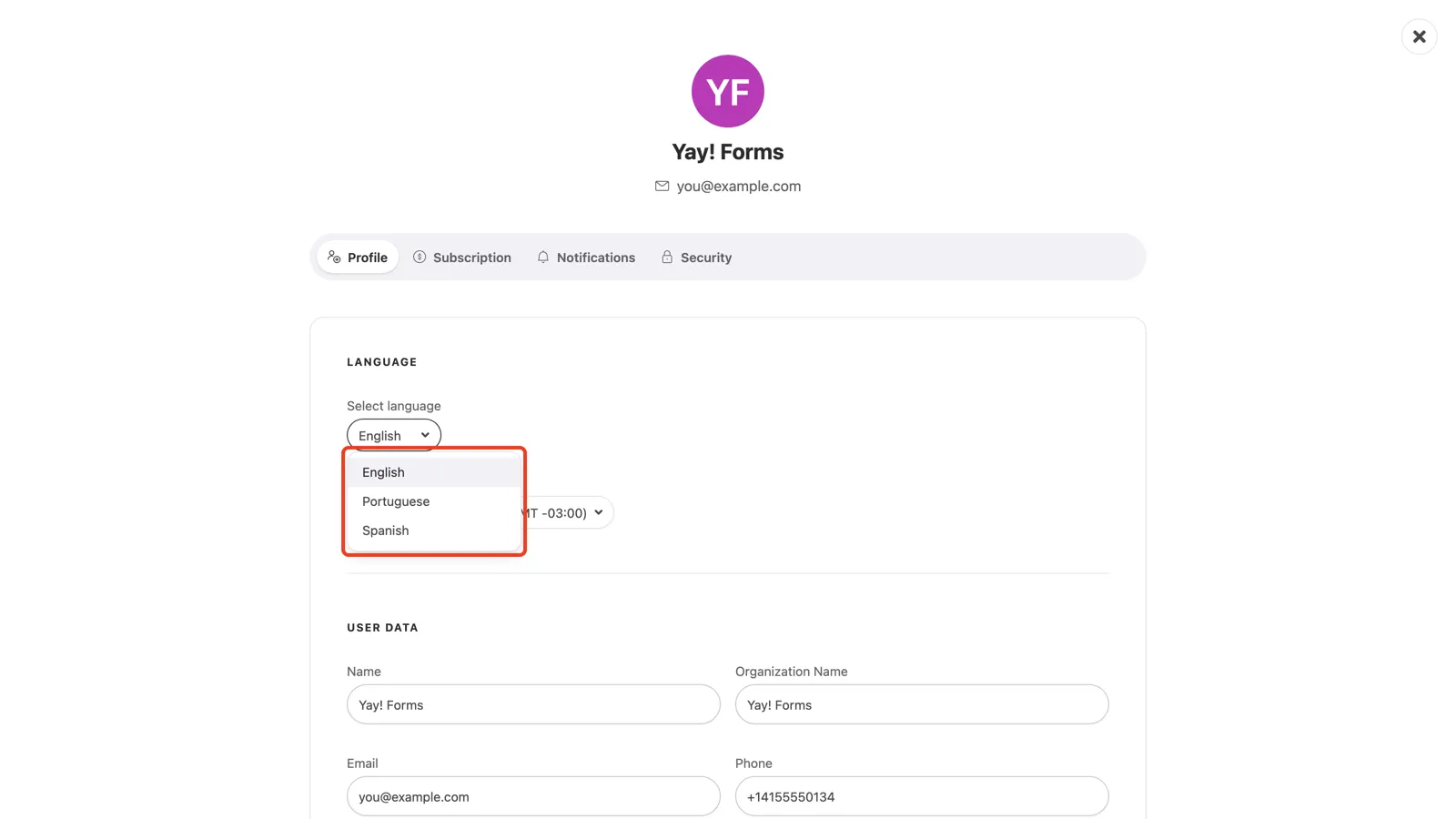
On the Profile tab, find the Language section at the top and open the Select language dropdown. Choose English, Portuguese, or Spanish. The interface switches right away, and the choice sticks the next time you sign in.
Conclusion
You learned where to find the Language section in your profile and how to switch your account between English, Portuguese, and Spanish.
Related articles: