Inviting someone to a workspace gives them access to every form and response in it. This article shows how to send the invite and what happens after it is accepted.
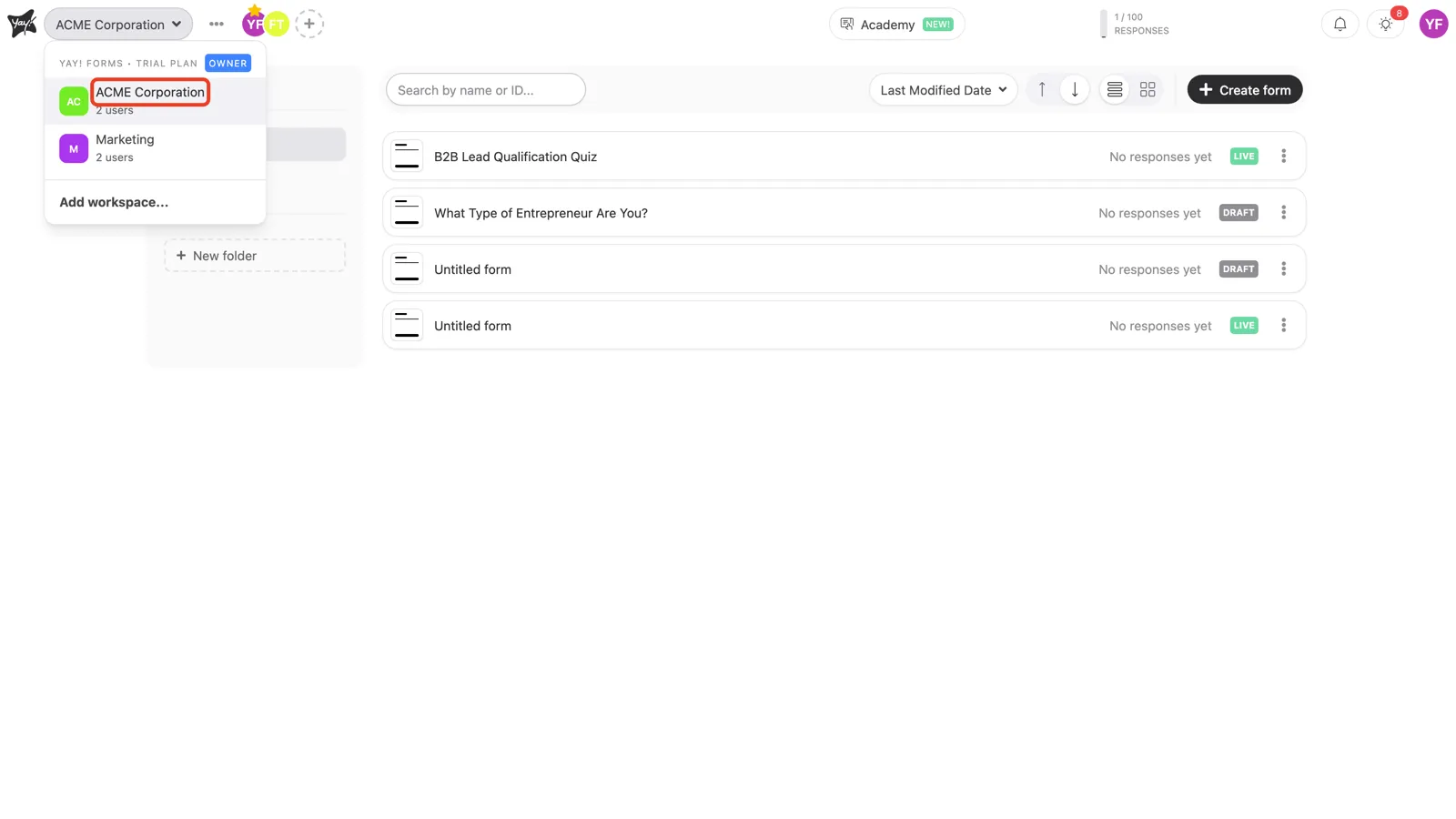
Select the workspace
Open the workspace switcher at the top left and choose the workspace you want to invite someone to.
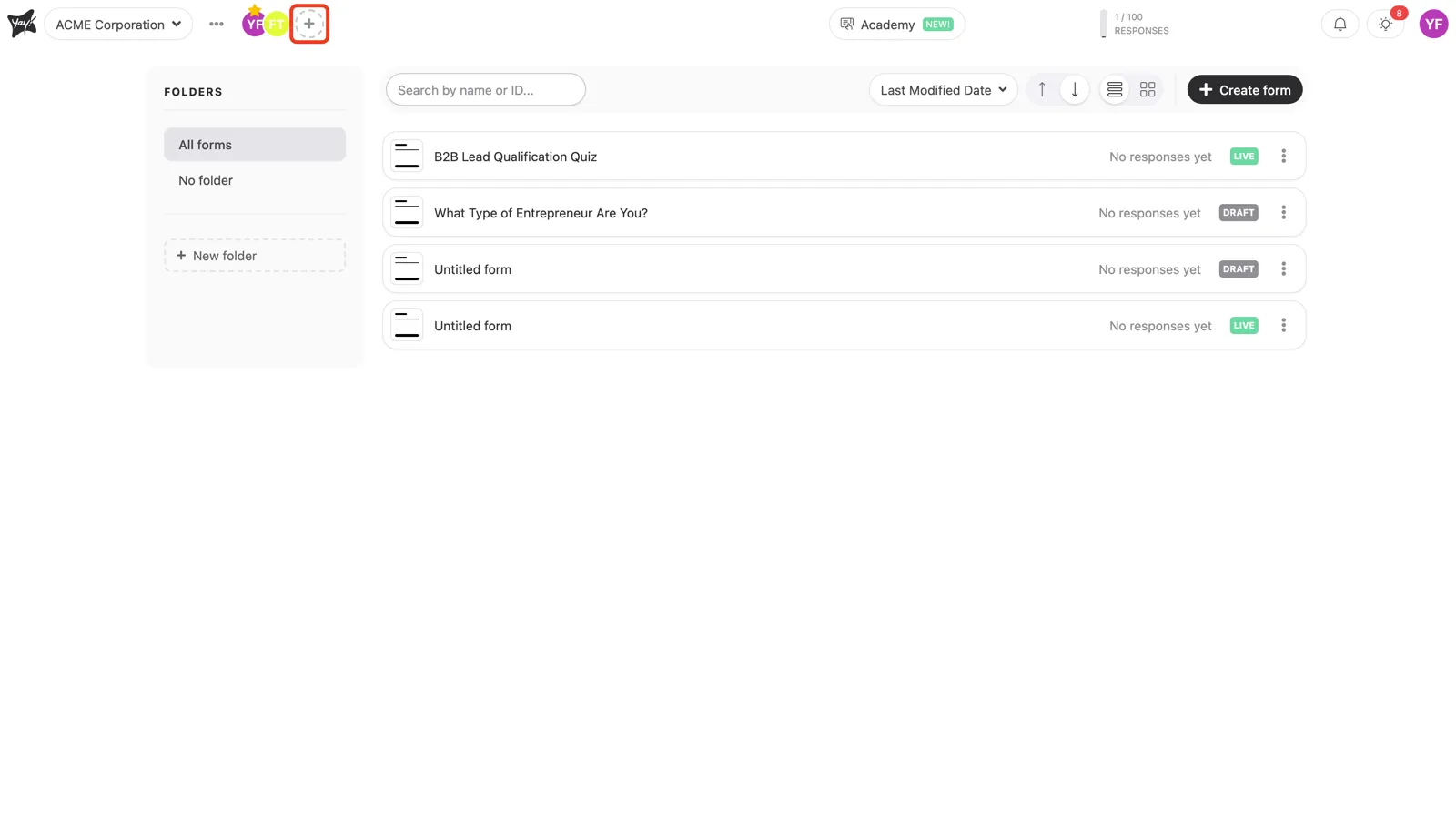
Open the invite panel
Click the + button next to the member avatars in the top bar.
Send the invitation
Enter the person’s email address and click Invite.
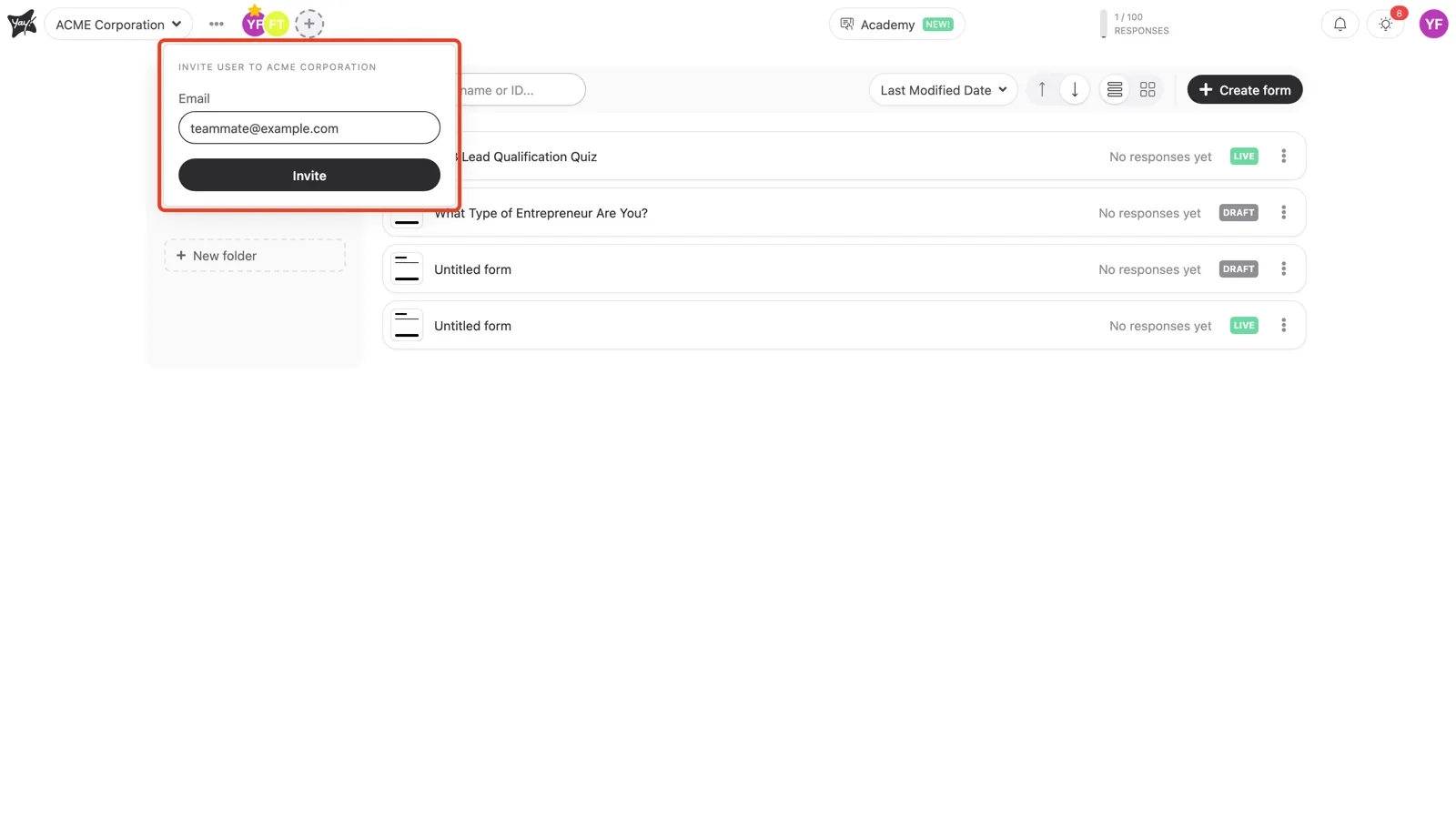
The person receives an email with a link to accept the invitation. Once they accept, they join the workspace and can access its forms and data.
Conclusion
You selected the workspace, opened the invite panel from the + button, and sent an email invitation. After the person accepts, they have access to the workspace.
Related articles: