Meta tags control how your form’s link looks when it’s shared on social media, messaging apps, and other channels: the title, description, and preview image in the link preview. This article shows where to set them.
Open Meta Tags
In the form editor, open the Settings tab and scroll to Meta Tags.
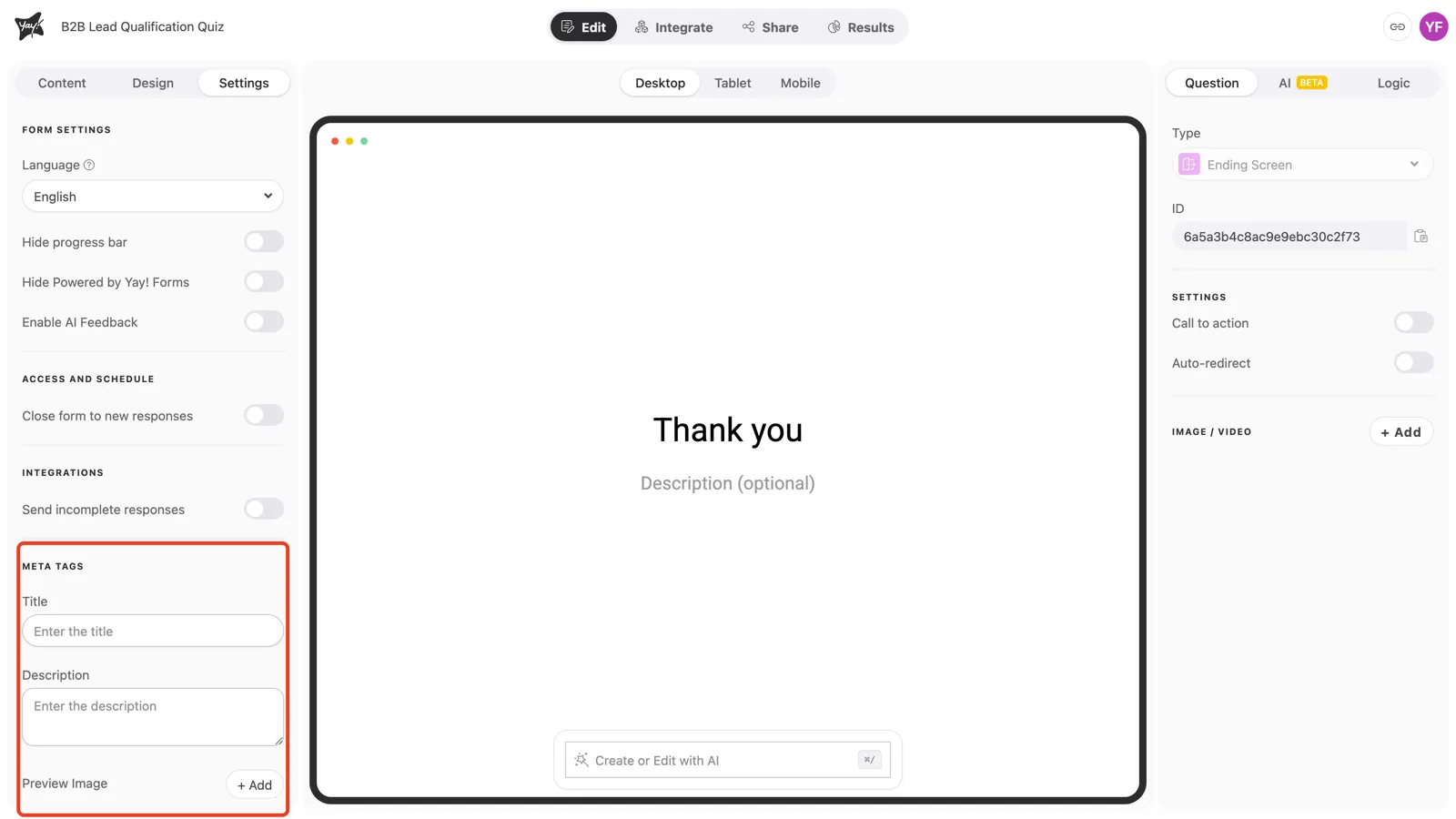
Set the title, description, and image
Three fields shape the link preview:
- Title sets the
og:title, the headline of the preview. - Description sets the
og:description, the supporting text under the title. - Preview Image sets the
og:image, the image shown in the preview.
Fill them in to give a shared link a clear, professional preview. Republish the form after editing so the new tags take effect.
Conclusion
You learned which meta tags you can set for a form (Title, Description, and Preview Image, mapping to og:title, og:description, and og:image) and where to edit them in the Settings tab.
Related articles: