This article will help you duplicate an existing question by using the options menu on the question card.
Duplicating a question
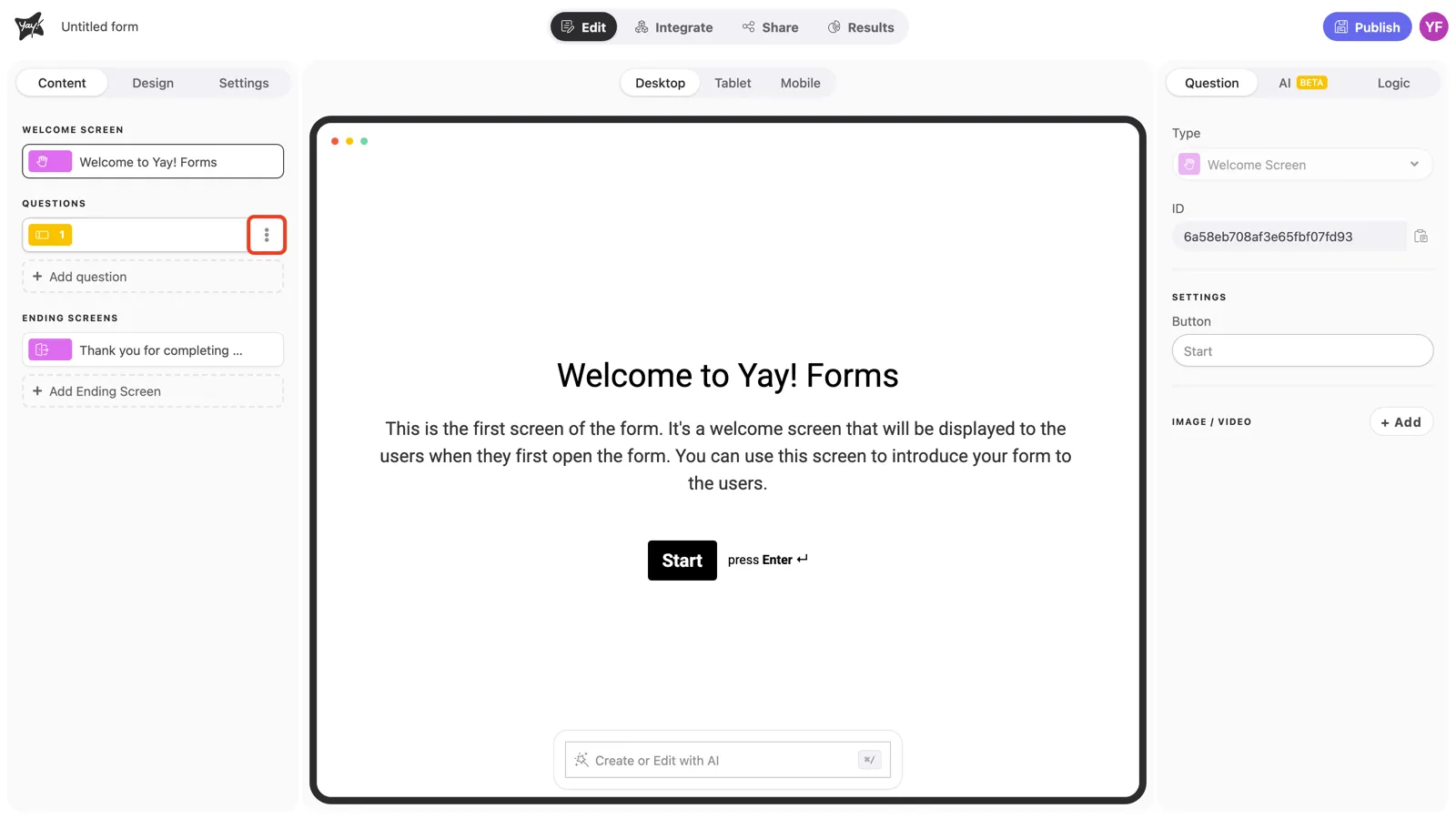
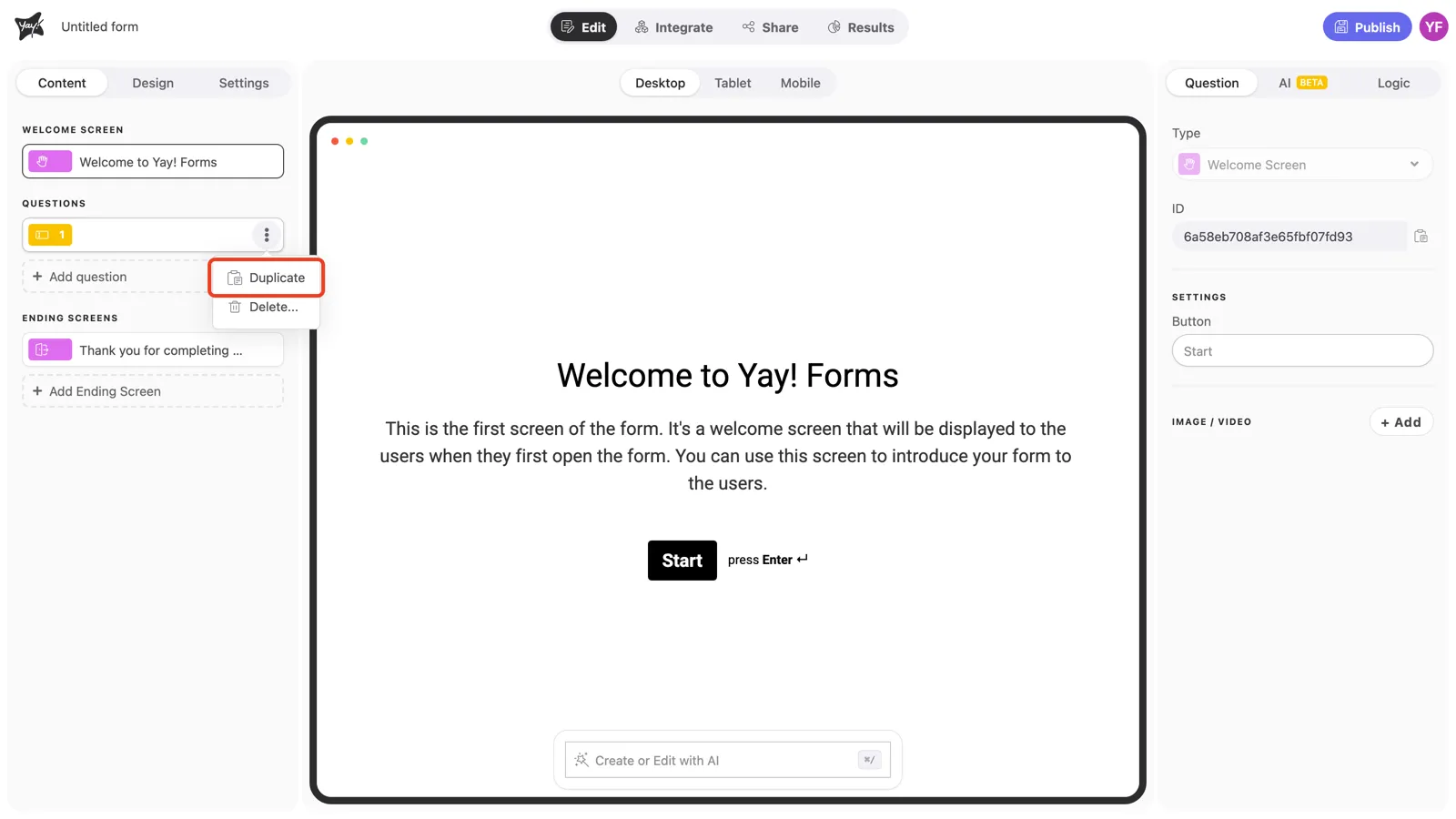
To duplicate a question, click the three dots in the top-right corner of your question and select Duplicate.
Conclusion
You learned where to find the question options menu and how to use it to duplicate a question.