Yay! Forms changes your password through a secure email link rather than an in-app field, so a reset always lands in the inbox on your account. This article shows how to request that email.
Open your profile
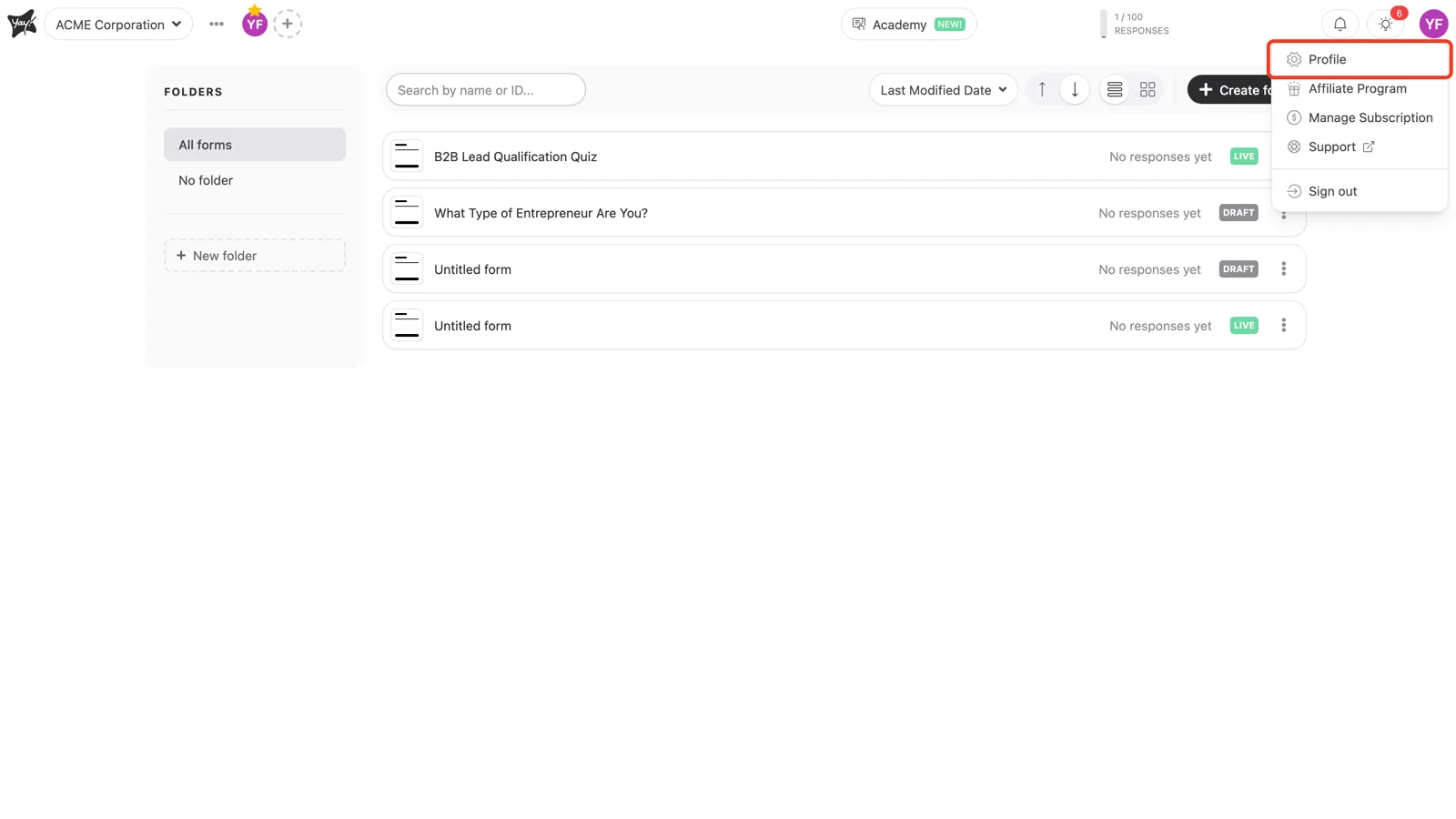
In the top-right corner, click your avatar and choose Profile.
Send the reset email
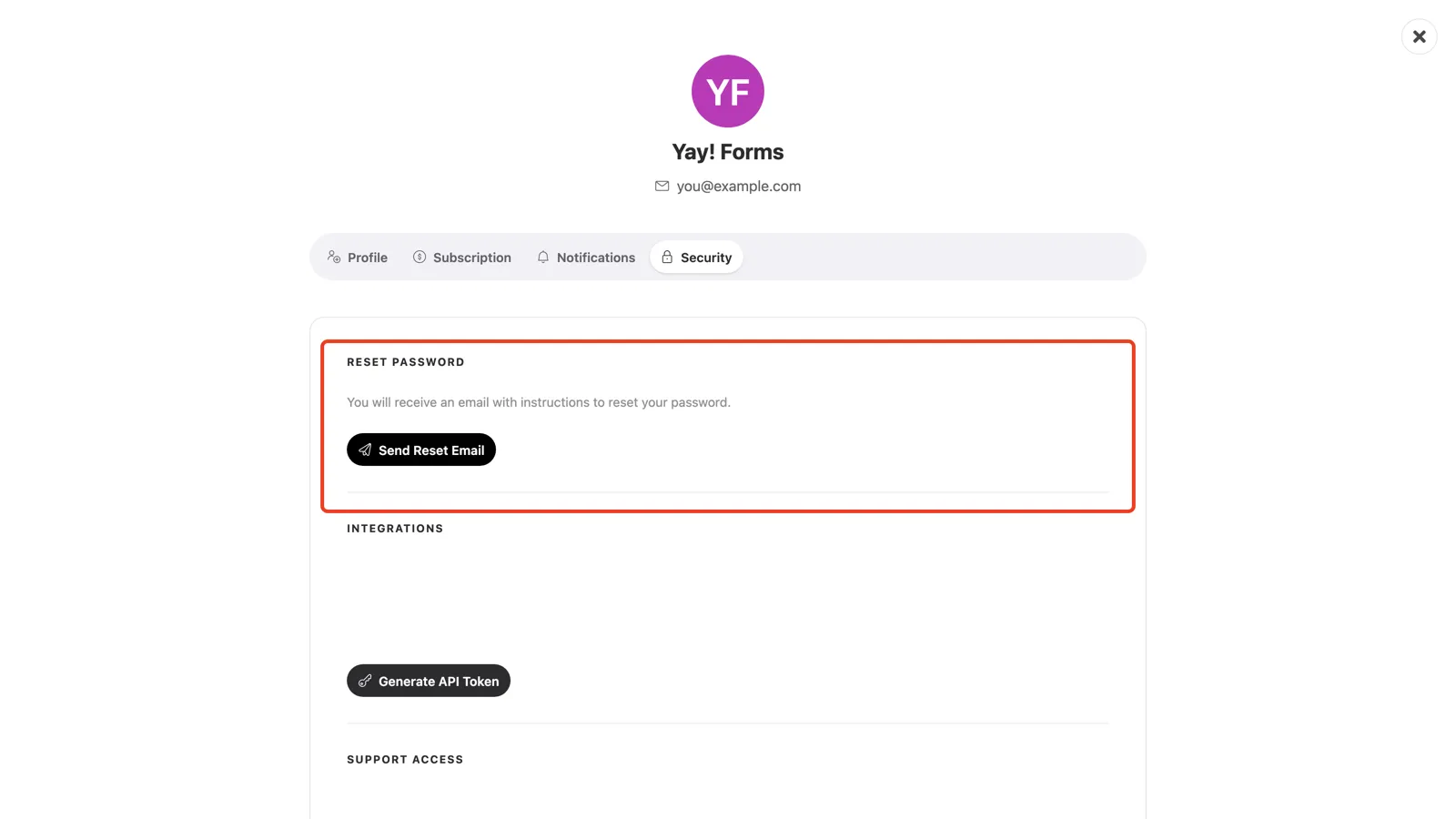
Open the Security tab. Under Reset Password, click Send Reset Email. Yay! Forms sends a link to your account address. Open it and set a new password.
Conclusion
You learned where to find your security settings in Yay! Forms and how to request a password-reset email to set a new password.
Related articles: