Removing a member revokes their access to the workspace and everything in it. This article shows where to find the member and how to revoke access.
Open the member’s profile
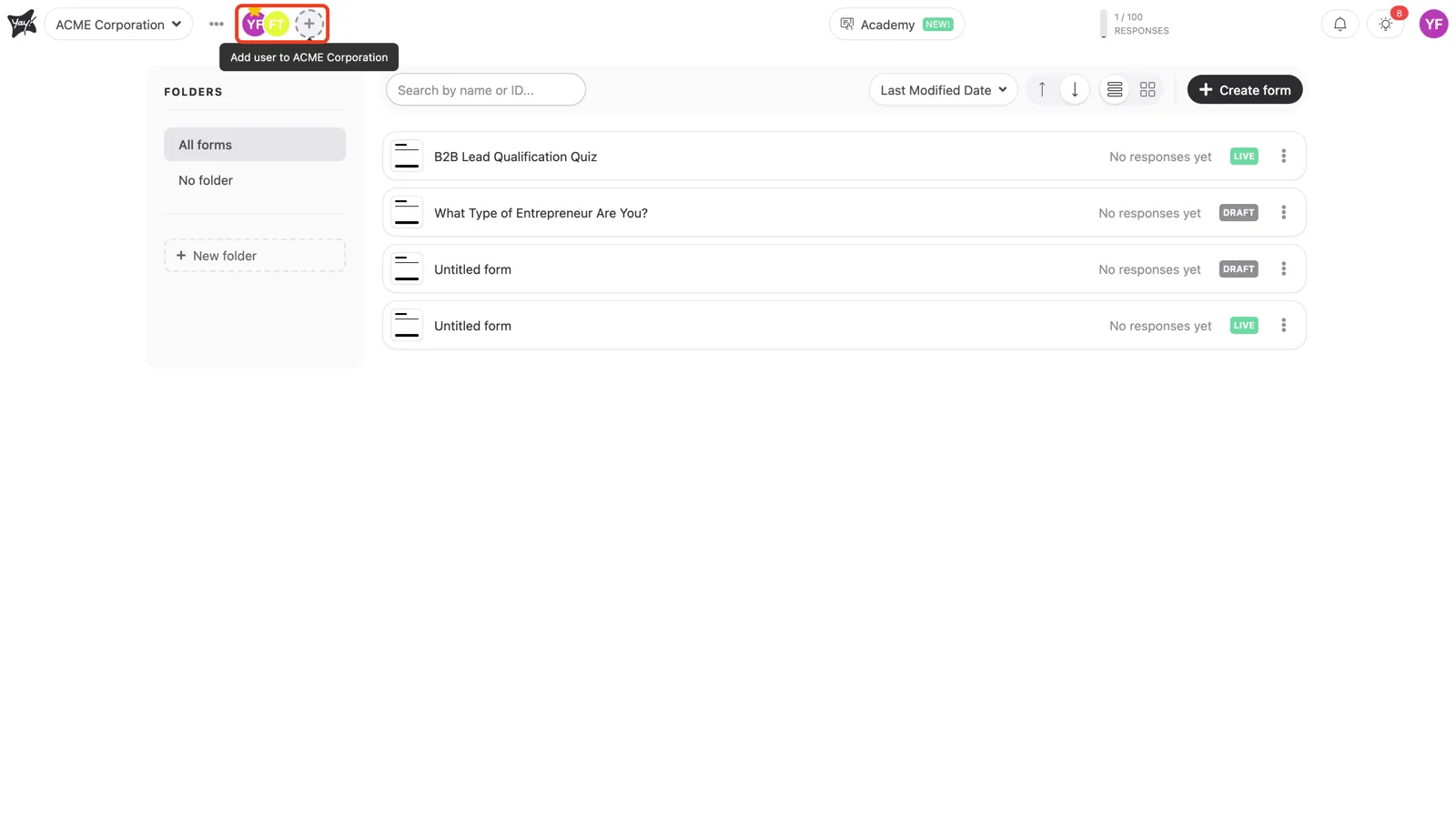
The workspace members appear as avatars in the top bar at the top left. Click the avatar of the person you want to remove.
Revoke their access
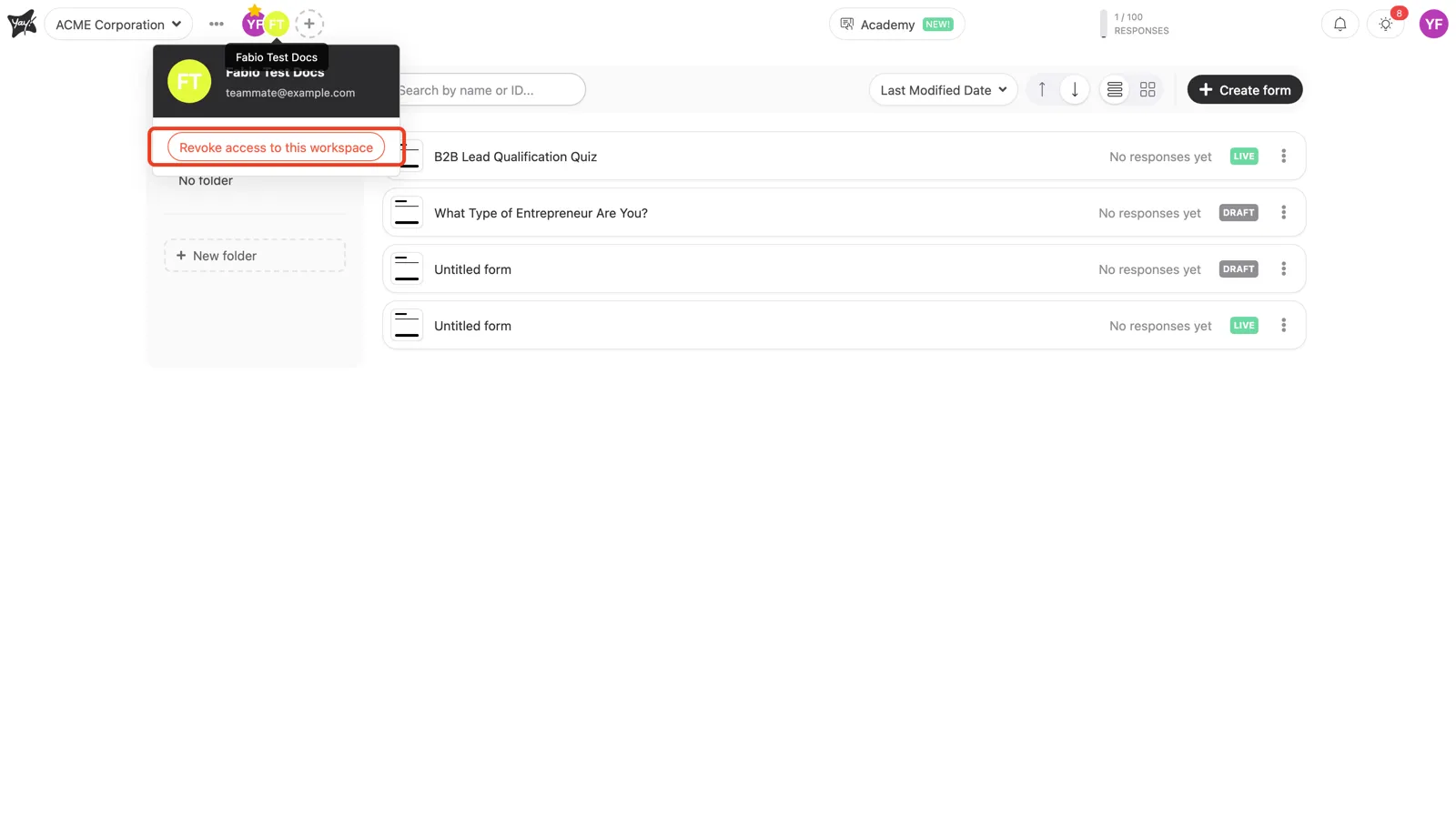
On the member’s profile card, click Revoke access to this workspace and confirm. The person loses access to the workspace right away.
Conclusion
You opened the member’s profile card from the top bar and revoked their access to the workspace.
Related articles: