Embedding puts your form directly on your website, so visitors answer without leaving the page. This article shows where to find the embed options and how to choose one.
Open the Share tab
In the form editor, click Share, then find Embed in your website.
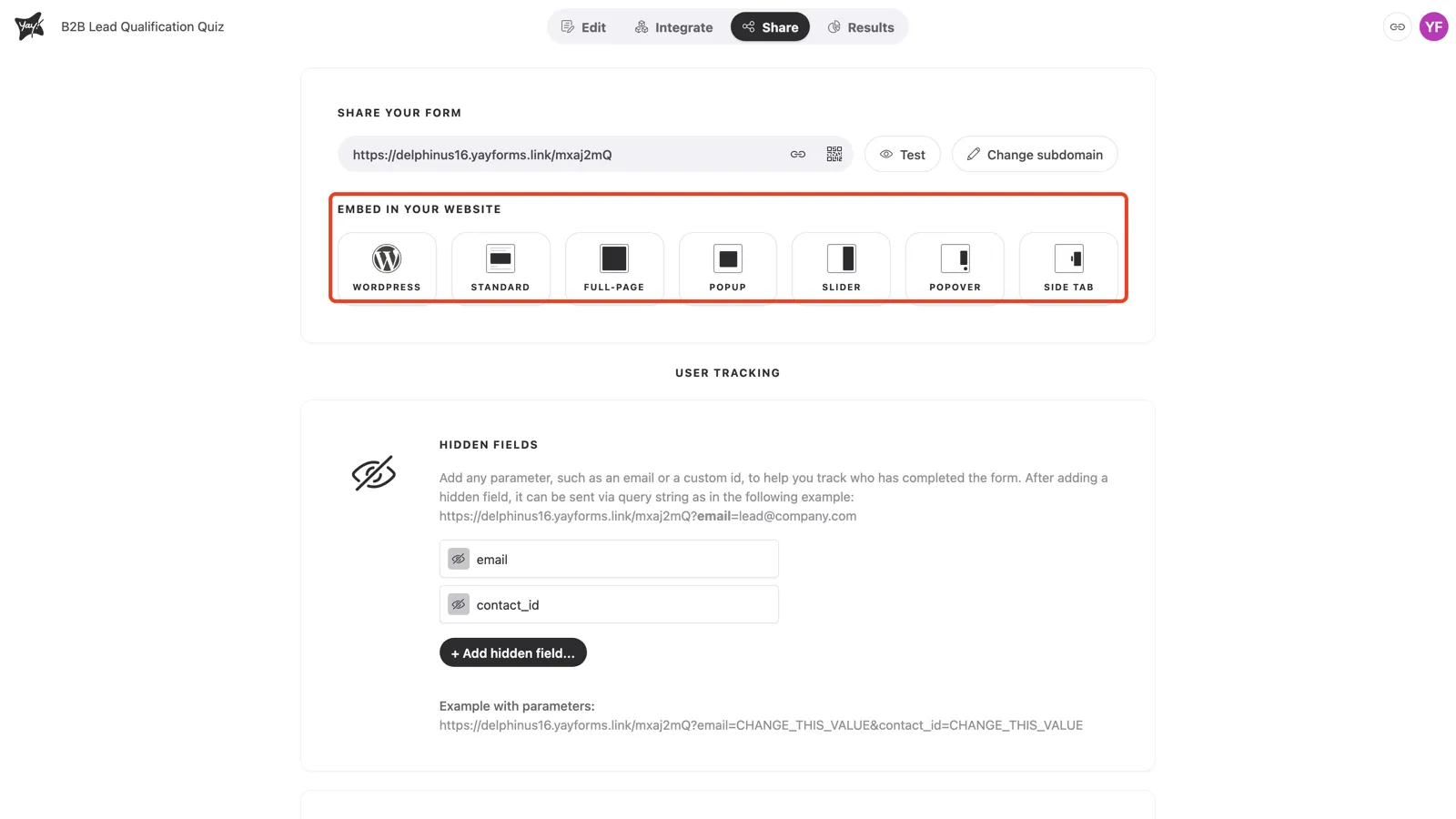
Choose an embed type
Pick the format that fits your page:
- WordPress: the Yay! Forms plugin and shortcode for WordPress sites.
- Standard: the form inline, in the flow of the page.
- Full-page: the form fills the whole page.
- Popup: the form opens in a modal over the page.
- Slider: the form slides in from the side.
- Popover: the form opens from a floating button.
- Side tab: a tab on the edge of the page that opens the form.
Select a type, copy the generated code, and paste it into your page’s HTML.
Conclusion
You learned where to find the embed options in the Share tab, what each embed type does, and how to copy the code to place your form on a page.
Related articles: